I am a retired musician, and the first time I streamed with a plain audio interface, my game audio and my voice fought for the same channel the whole show 🎙️
Affiliate links below. As an Amazon Associate I earn from qualifying purchases.
Direct answer first. The best audio interface for streaming is not just any interface. It needs loopback or independent mixes, so your voice, your game, and your music land on separate channels instead of one messy blob.
My top pick is the Yamaha AG06MK2 for most streamers. Pick the Elgato Wave XLR MK.2 if you already own a Stream Deck, and the GoXLR Mini if you want dedicated hardware faders for every source.
Here is the number that surprised me. Yamaha built the AG06MK2 to run off just 900 mA of USB power, less than most phone chargers draw, while still handling two condenser mics and a full mix.
By the end of this guide, you will know which of these boxes actually solves the mixing problem, which one locks you to Windows, and which one costs the least for what streaming actually needs.
This guide draws on official manufacturer documentation, independent reviews, retailer owner reviews, and forum comments. It does not rest on bench testing, so I name the source whenever I share someone’s experience.
Quick Picks
| Pick | Best for | Mac support | Price tier |
|---|---|---|---|
| Yamaha AG06MK2 | Most streamers, best value | Yes | Budget |
| Elgato Wave XLR MK.2 | Stream Deck owners, onboard DSP | Yes | Mid |
| GoXLR Mini | Dedicated hardware faders | No, Windows only | Mid |
| Focusrite Scarlett 2i2 | Streaming plus real recording | Yes | Budget |
| Audient EVO 4 | Switching mic and instrument fast | Yes | Budget |
Buy the AG06MK2 if you want one box that does loopback, DSP, and MIDI without extra software. Skip all of these if you only ever talk into a headset mic with no separate interface, since a USB headset already covers that.
What Makes an Interface Good for Streaming?
Streaming asks an interface to do something a studio session never does. Mix live sources together in real time, with no DAW open to save you.
Three features separate a streaming friendly interface from a plain one.
- Loopback or independent mixes. Your voice and your computer audio need separate paths so you control what viewers hear versus what you hear
- Onboard processing. A gate, compressor, or noise reduction running in hardware means your CPU stays free for the game or the encoder
- Fast physical control. A mute button or fader you can hit without alt-tabbing mid sentence
My take, from years of running live sound before I ever touched a stream. A mixer built for real time control feels completely different from one built for tracking a song in a quiet room. Streaming is closer to live sound than to a studio session 🎧
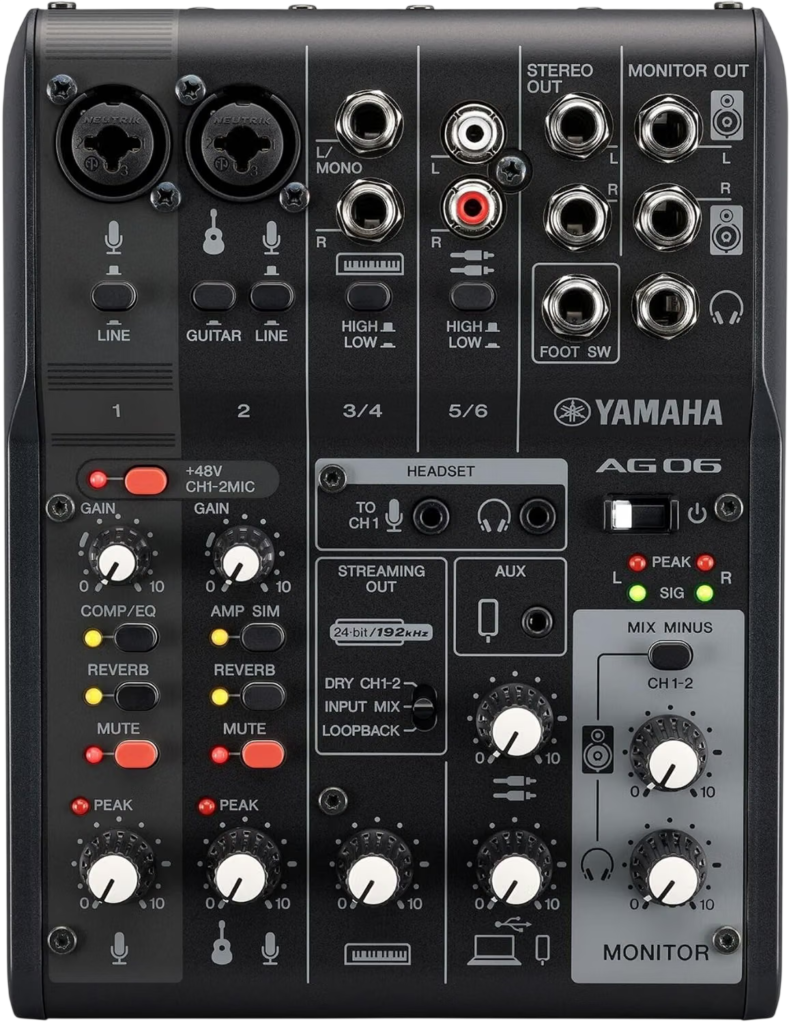
Yamaha AG06MK2
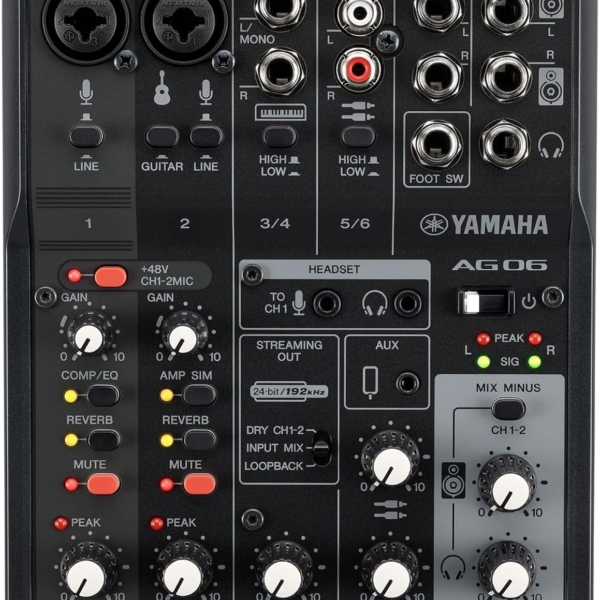
The AG06MK2 packs LOOPBACK, MIX MINUS, and three onboard DSP effects into a mixer built around real knobs.
Two mic inputs, both with switchable phantom power, cover a host and a guest. A dedicated STREAMING OUT selector lets you choose exactly what your viewers hear, your dry mic, the full mix, or the loopback blend.
Yamaha is an official OBS Studio sponsor, and lists the AG06MK2 as certified for it. Our full AG06MK2 review covers the USB dropout reports some owners share, and how to fix them.
Elgato Wave XLR MK.2
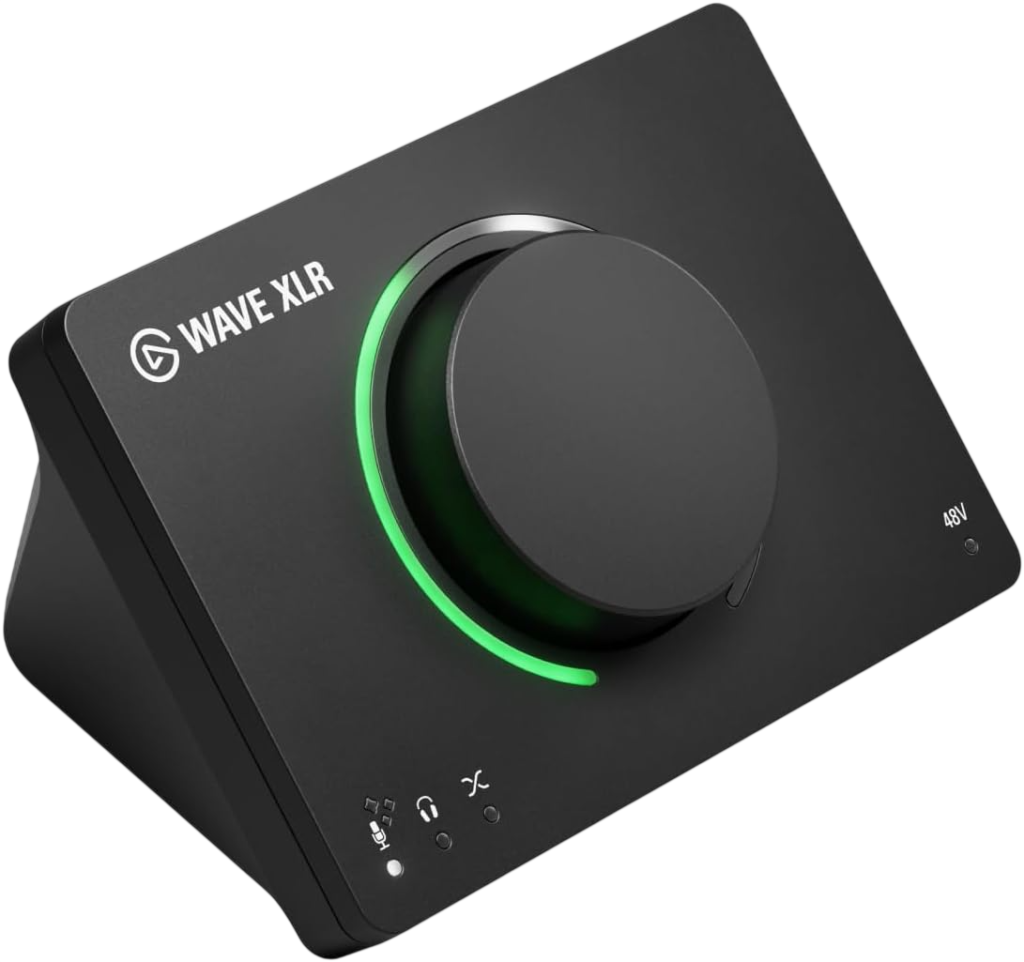
Elgato built this around one XLR mic input, but backs it with serious hardware processing.
Elgato’s own product page lists 80 dB of gain, enough for gain hungry dynamic mics with no separate booster, plus Clipguard 2.0, a three layer system Elgato says makes clipping virtually impossible even in extreme tests.
The free Wave Link software builds up to 5 independent mixes from any mic or interface, not just Elgato hardware. Pairing the Wave XLR MK.2 with a Stream Deck adds physical control over mutes and effects.
One camelcamelcamel buyer review flags a real learning curve, recommending you spend time in Wave Link to actually dial in the sound rather than using defaults.
TC-Helicon GoXLR Mini
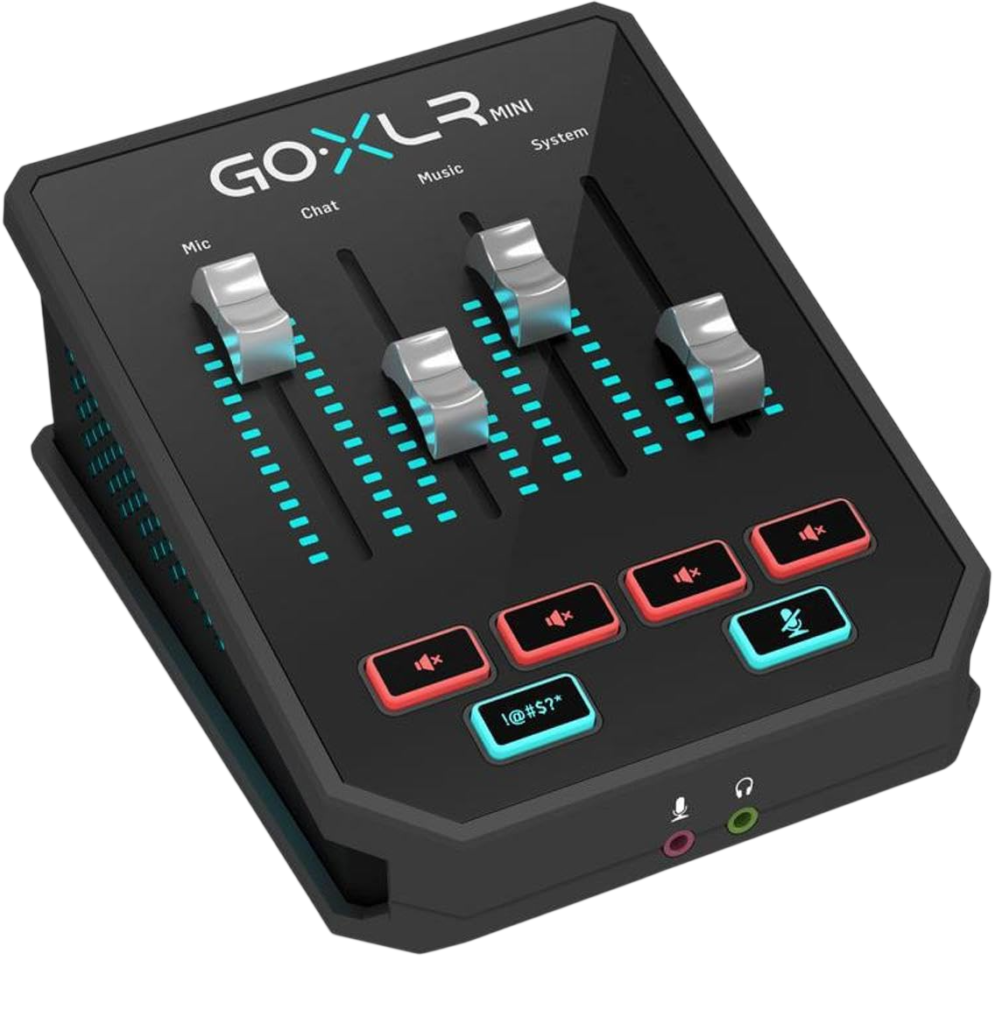
If you want a dedicated physical fader for every app, this is the one built for exactly that.
Sweetwater’s listing describes 4 channels, each with its own fader and programmable mute button, so mic, game, music, and chat never fight for the same slider. It runs the same Midas preamp used in the full size GoXLR, handling mics from a Shure SM7B down to smaller condensers.
B&H’s listing adds XLR and quarter inch mic inputs, stereo line in and out, and a TOSLINK optical port for pulling audio straight from a game console.
The catch is real. Amazon’s own listing states it plainly, officially supported on Windows 7, 8, 10, and 11, with no macOS or Linux support at all.
Mac and console only streamers should skip straight to the AG06MK2 or the Wave XLR MK.2 instead 👍
Focusrite Scarlett 2i2
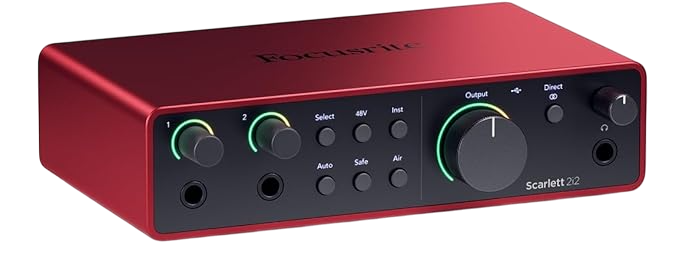
Pick this if streaming is one of several things you record, not the only thing.
The 4th Gen adds loopback as inputs 3 and 4, so you can capture your computer’s audio alongside two mic inputs. Focusrite lists Auto Gain and Clip Safe, two features that protect beginners from a blown out level mid stream.
Our full Scarlett 2i2 review covers a quirk worth knowing before you buy. Plugging into a front jack disables that channel’s XLR input, so plan your inputs carefully.
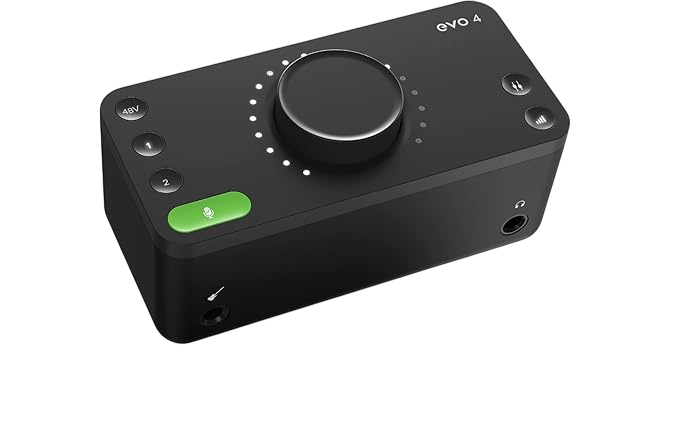
Audient EVO 4
A tiny USB powered box that suits streamers who switch between talking and playing an instrument mid show.
Two mic inputs, a JFET instrument input, loopback, and Audient’s Smartgain feature, which sets your input level automatically, all live in a box small enough to sit next to a keyboard or controller with no clutter.
Our full EVO 4 review goes deep on direct monitoring and how Smartgain compares to Focusrite’s Auto Gain.
How Do I Choose Between These Five?
Two questions narrow it down fast.
Do you need Mac support?
If yes, cross the GoXLR Mini off your list immediately. Amazon’s own listing confirms Windows only, no macOS or Linux support.
Do you need dedicated hardware faders?
If you juggle four or more audio sources live, the GoXLR Mini’s four physical faders beat reaching for software sliders. If you mostly manage one mic and one game, the AG06MK2’s knobs are plenty.
Want to plan the full chain, mic, interface, and headphones, before you buy anything? Map it out first.
Did You Know 🤯
Elgato’s Clipguard 2.0 runs on three layers at once, stacked converters, 32 bit float headroom, and a digital limiter, and Elgato says internal stress tests could not make it break.
Best Audio Interface for Streaming FAQ
Do I need an audio interface to stream?
Not strictly.
A USB headset or mic works to start. An interface earns its keep once you add a second mic, game audio, or music.
What is loopback and why does streaming need it?
Loopback sends your computer’s audio back into the interface.
It lets you record or stream game and music audio alongside your mic without a separate capture step.
Can I use a regular studio interface for streaming?
Yes, if it has loopback.
Check for that feature specifically, since many studio focused interfaces skip it entirely.
Does streaming need a condenser or dynamic mic?
Depends on your room.
Dynamic mics reject more background noise, which suits untreated rooms with a PC fan running nearby.
Will any of these hurt my stream’s frame rate?
No.
All five process audio in hardware or lightweight software, leaving your CPU free for the game and the encoder.
So pick your platform first, pick your interface second, and go live 🎶
As an Amazon Associate I earn from qualifying purchases. There are some affiliate links on this page that will redirect you directly to the original products and services. Also by buying through those links you will be supporting us. So thank you ^.^
Related Posts
Here is a list of interface and mixer posts you can consider as alternatives.