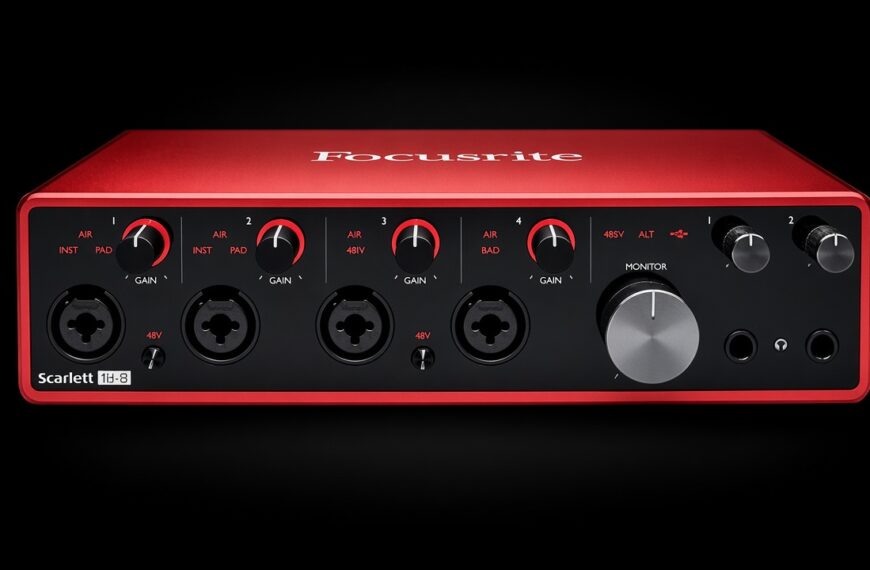
Every beginner guide says the same thing. Buy the Scarlett 2i2.
Almost none of them warn you about the three quirks that surprise new owners in week one 🎛️
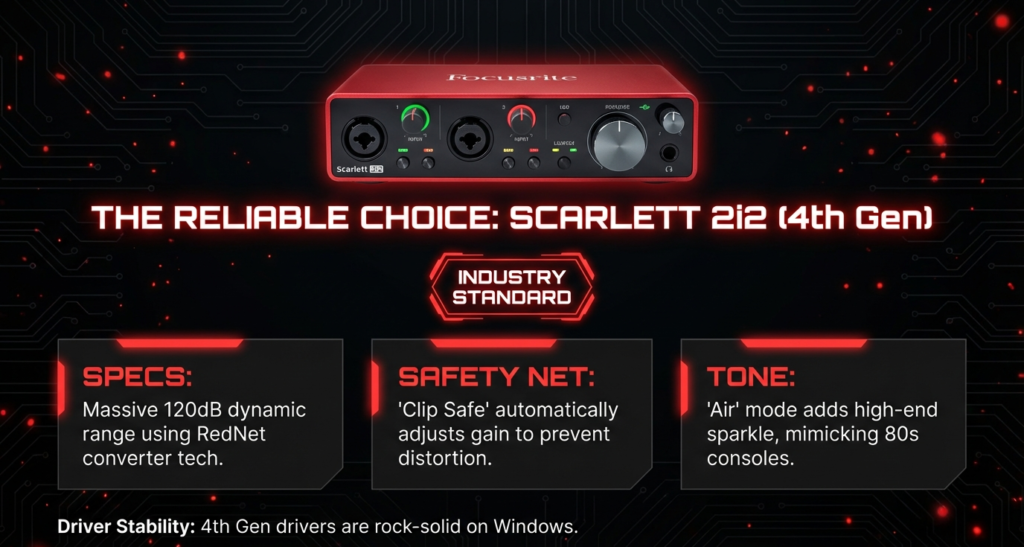
Direct answer first. The Focusrite Scarlett 2i2 (4th Gen) is a bus powered, 2 in and 2 out USB-C interface with two mic preamps and up to 69 dB of gain.
It adds Auto Gain, Clip Safe, a two mode Air circuit, and loopback for streamers and podcasters.
Buy it if you record one or two sources at a time. Skip it if you need three or more inputs at once.
Here is a stat that hooked me. Focusrite lists 116 dB of dynamic range on the mic inputs and an equivalent input noise of -127 dBu, both measured to the AES17 standard.
By the end of this Focusrite Scarlett 2i2 review, you will know what it does well, where it limits you, and which quirks to expect on day one.
This guide draws on Focusrite’s official documentation, independent reviews, retailer owner reviews, and forum comments. It does not rest on bench testing, so I name the source whenever I share someone’s experience.
What Is the Focusrite Scarlett 2i2?
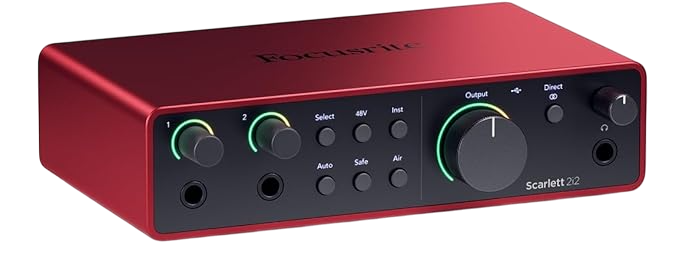
The Focusrite Scarlett 2i2 is a desktop audio interface that turns two mics or instruments into clean digital audio for your computer.
The current model is the 4th Gen. It runs from a single USB-C cable and needs no power supply.
Sweetwater calls the 4th Gen a significant upgrade over earlier generations, with new preamps, converters borrowed from Focusrite’s RedNet line, Auto Gain, and Clip Safe.
| Feature | Focusrite Scarlett 2i2 4th Gen |
|---|---|
| Inputs | 2 XLR mic inputs (rear) and 2 quarter inch line or instrument inputs (front) |
| Simultaneous channels | 2 analog inputs plus 2 loopback inputs |
| Outputs | 2 balanced TRS line outputs and 1 stereo headphone output |
| Mic preamp gain range | 69 dB |
| Mic input dynamic range | 116 dB (A-weighted) |
| Mic input noise | -127 dBu EIN (A-weighted) |
| Max mic input level | +16 dBu at minimum gain |
| Instrument input | 62 dB gain range, 1 MΩ impedance |
| Line output dynamic range | 120 dB (A-weighted) |
| Converters | 24 bit, up to 192 kHz |
| Headphone power | 32 mW into 33 Ω, 22 mW into 300 Ω |
| USB | USB 2.0 Type-C, bus powered (900 mA) |
| Size and weight | 180 x 117 x 47.5 mm, 595 g (1.31 lb) |
Specs come from Focusrite’s official 2i2 4th Gen specifications page, which the company updated in July 2026.
What comes in the box?
Adorama’s listing shows the interface, a USB-A to USB-C cable, and a downloadable software suite.
Bundle contents differ between retailers. Amazon, Sweetwater, and Kraft Music list slightly different DAW and plugin packages, so check the listing before you buy.
How Does the Focusrite Scarlett 2i2 Sound?
Clean and open. Reviewers agree on that.
Higher Hz calls the 4th Gen preamps clean and transparent, with a wide gain range. Focusrite’s spec sheet lists a flat 20 Hz to 20 kHz response within 0.06 dB on the mic inputs.
The same review compares the 2i2 with the SSL 2. The Focusrite sounds a bit cleaner, while the SSL adds more analog style color.
What do the two Air modes do?
Air is the famous switch on every Scarlett. The 4th Gen gives you two Air modes.
Soundref describes them as Air Presence and a second mode that adds harmonic saturation on top of the presence lift.
Both modes color the sound while you record. Soundref points out that the effect stays in the file, so you cannot remove or adjust it later.
My take is to try Air on vocals and acoustic guitar, and leave it off when you want a neutral file to shape in the mix 🎤
How quiet are the preamps?
Focusrite lists an equivalent input noise of -127 dBu and a 69 dB gain range. The company calls them the clearest and most detailed Scarlett preamps yet.
Bandrew Scott at Podcastage tests the 4th Gen with a Shure SM7B and no Cloudlifter or Fethead. He also runs a preamp noise test and compares the 4th Gen against the 3rd Gen.
His chapters cover the SM7B test, the Air demo, the noise test, Auto Gain, Clip Safe, and the pros and cons. That gives you a fast way to judge the noise with your own ears!
What Do Auto Gain and Clip Safe Do?
Auto Gain sets your input level for you. Press the Auto button, then sing or play normally for about 10 seconds.
In Soundref’s test, the gain settled around 18 dB.
Clip Safe watches your level up to 96,000 times a second, according to Focusrite. It lowers the gain if a loud peak threatens to clip.
One Slickdeals commenter who upgraded from a first generation 2i2 called auto gain extremely valuable. That matches what beginners feel on day one.
My take is simple. Use Auto Gain to find a starting point, then trim by ear.
What Are the Three 2i2 Quirks That Surprise New Owners?
These quirks come straight from Focusrite’s own documentation. Most reviews skip them.
Why does my XLR mic go silent?
The 2i2 puts XLR mic inputs on the back and quarter inch jack inputs on the front.
Plugging into a front jack disables the XLR mic input. Focusrite’s guide tells you to check that nothing sits in the front jacks if your XLR input stays silent.
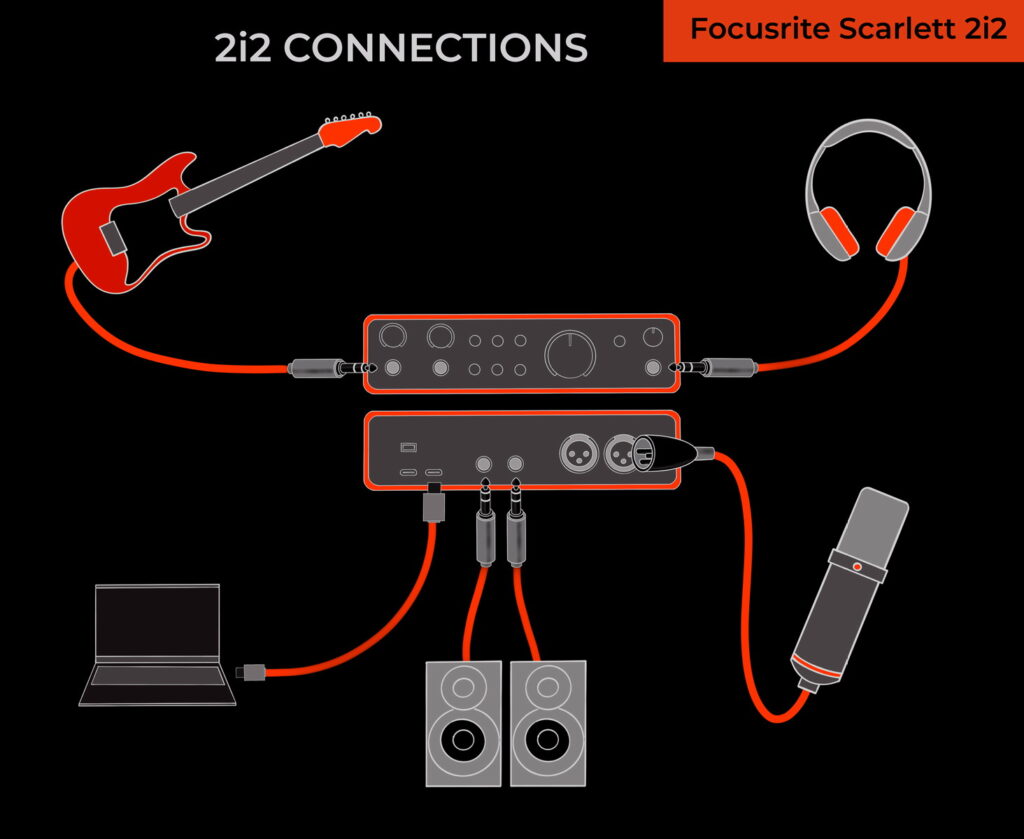
So each channel takes one source, either XLR or jack. Focusrite’s own diagram shows a guitar on input 1 and a mic on input 2, and that combination works!
Can you make a separate headphone mix?
No. Outputs 1 and 2 share the same feed as the headphone output.
Whatever plays through your monitors also plays through your headphones. Each output keeps its own level knob, so you can set the volumes separately.
Plan on one shared mix for everyone in the room.
Why do Zoom and OBS see only one device?
On Windows, apps without ASIO support see a single playback device and a single recording device by default. Zoom, Microsoft Teams, OBS Studio, and web browsers all fall into that group.
The Focusrite Notifier icon in your taskbar lets you choose which channels those apps can see. Your DAW keeps seeing every channel through ASIO.
Focusrite explains the steps on its specifications page 👍
Can You Use the Scarlett 2i2 for Podcasting and Streaming?
Yes! The 2i2 has two mic inputs, so two hosts can record on separate tracks.
It also offers loopback. That feature sends your computer’s audio back into the interface so you can record it next to your mics.
Hosting more than two people? Our guide to the best mixers for podcasting shows the next step up.
How does loopback work?
Focusrite lists loopback as inputs 3 and 4 on the 2i2. Here are the steps from its official guide.
- Open your DAW or recording software
- Create a new track and mute it, or set its output to none
- Set that track’s input to the loopback channels, inputs 3 and 4
- Start recording
The mute matters! Focusrite warns that skipping it creates a feedback loop.
Podcasters use loopback to capture remote guests. Streamers use it to capture game or app audio.
Can the Scarlett 2i2 Work Without a Computer?
Yes, and this surprises people.
Focusrite calls it standalone mode. Power the 2i2 from a USB wall plug, and it passes audio from its inputs to its outputs.
That lets you play a guitar through speakers with your computer off. It also lets you add preamps to a mixer or interface that has only line inputs left.
Turn on Direct Monitor so the signal reaches the outputs, and set it to mono for mono sources. Need many more preamps? Read our guide to the multi channel audio interface.
Scarlett 2i2 3rd Gen vs 4th Gen, What Changed?
The two generations look alike on a desk. The upgrades sit inside the box and on the back panel.
| Feature | 2i2 3rd Gen | 2i2 4th Gen |
|---|---|---|
| Mic input sockets | 2 combo sockets on the front | 2 XLR on the back, 2 quarter inch jacks on the front |
| Mic dynamic range | 111 dB | 116 dB |
| Max mic input level | +9 dBu | +16 dBu |
| Air | One Air switch per channel | Two Air modes |
| Auto Gain and Clip Safe | No | Yes |
| Loopback | No | Yes |
| USB | USB-C | USB-C |
The 4th Gen numbers come from Focusrite’s spec sheet. The 3rd Gen numbers come from Podcastage’s 3rd Gen review and Focusrite’s 3rd Gen overview.
Higher Hz notes that connectivity barely changes, so the upgrade shows up in preamp performance and features.
If your 3rd Gen works, keep it. Buy the 4th Gen if you want Auto Gain, Clip Safe, loopback, or the extra input headroom.
Still torn on size? Read our Focusrite Scarlett Solo vs 2i2 comparison.
Who Should Buy the Focusrite Scarlett 2i2?
Three groups get the most from it.
You sing and play guitar
Your guitar goes into a front jack and your mic goes into an XLR input. That is exactly the setup in Focusrite’s own diagram.
Adorama buyers back this up. One says it serves their needs for recording guitar, and another calls it fantastic for cleanly recorded demos even without being a professional producer.
You host a two person podcast
Two mic inputs record two hosts on separate tracks. Loopback adds a remote guest’s audio as a third source.
Both hosts share one headphone feed, so agree on a volume before you hit record 😄
You stream or record tutorials
Loopback captures game or app audio next to your voice. Focusrite lists screen recordings, live streams, and sampling as loopback jobs.
Buy the Focusrite Scarlett 2i2 if you
- Record one or two sources at a time
- Want Auto Gain and Clip Safe to protect your levels
- Need loopback for streams or podcasts
- Want a bus powered unit that weighs 595 g (1.31 lb)
Skip the Focusrite Scarlett 2i2 if you
- Need three or more inputs at once
- Want a separate headphone mix
- Need MIDI ports
- Record a full drum kit
What Are the Best Alternatives to the Scarlett 2i2?
Four options cover most reasons to look elsewhere.
Scarlett Solo
The Solo has one mic preamp and a smaller price tag. One Slickdeals commenter recommended the 2i2 over the Solo for its dedicated headphone and monitor volume controls.
Our Solo vs 2i2 guide covers the full breakdown.
Scarlett 4i4
The 4i4 adds four line outputs and a pair of MIDI DIN ports, according to a Gearspace review of the 4th Gen range.
Pick it when you want MIDI or more outputs. Our 4 XLR input interface guide covers more options at that size.
SSL 2
The SSL 2 leans toward analog style color. Higher Hz says the Focusrite preamps sound a bit cleaner by comparison.
MusicTech notes that SSL’s Legacy Mode adds subtle harmonic saturation, and that the SSL 2+ is the better pick if you want MIDI.
Audient EVO 4
Our Audient EVO 4 review covers its two mic inputs, JFET instrument input, loopback, and Smartgain in a tiny USB powered box.
Comparing brands instead of models? Read PreSonus vs Focusrite next.
What Are the Downsides of the Focusrite Scarlett 2i2?
Here are the honest drawbacks.
- Only two inputs at once
- One source per channel, either XLR or front jack
- One shared feed for monitors and headphones
- Air colors the recording permanently
- No MIDI ports
- Windows apps need the Notifier to see extra channels
BestAudioHub sums up the first point. Recording a full drum kit or several performers calls for a 4i4, an 8i6, or something larger.
Is the Focusrite Scarlett 2i2 Worth It?
Yes, for the right job.
The Focusrite Scarlett 2i2 rewards anyone who records one or two sources at a time. Clean preamps, Auto Gain, Clip Safe, and loopback make the first week easy.
If you need more inputs, step up to a bigger interface. If you record solo vocals, guitar, or a two person podcast, this is the interface I would point you to!
Did You Know 🤯
The Scarlett 2i2 works with no computer at all. Power it from a USB wall plug and standalone mode passes audio from its inputs to its outputs.
Planning a desk around the 2i2? Map the whole chain first, and let the tool flag phantom power, gain headroom, and connector problems before you spend.
Focusrite Scarlett 2i2 FAQ
Does the Scarlett 2i2 have phantom power?
Yes.
48V phantom power switches on from the front panel or in software.
Can you use a guitar and a mic at the same time?
Yes.
Put the guitar on one channel and the mic on the other. Focusrite’s own diagram shows this setup.
Does the Scarlett 2i2 work with an iPad?
Yes.
It is class compliant, so it works with any modern Mac, Windows PC, or USB-C iPad.
Does the Scarlett 2i2 have MIDI ports?
No.
The 4i4 adds a pair of MIDI DIN ports.
What sample rates does the Scarlett 2i2 support?
44.1 kHz up to 192 kHz.
Bit depth is 24 bit.
Does the Scarlett 2i2 have loopback?
Yes.
Loopback appears as inputs 3 and 4 in your recording software.
How long is the Scarlett 2i2 warranty?
Three years.
Retailers such as Micro Center list a three year warranty. Confirm the terms with your seller.
Is the 4th Gen worth upgrading from the 3rd Gen?
Only for the new features.
Upgrade for Auto Gain, Clip Safe, loopback, or extra headroom. Connectivity stays about the same.
So count your inputs first, pick your interface second, and get recording 🎶
There are some affiliate links on this page that will redirect you directly to the original products and services. Also by buying through those links you will be supporting us. So thank you ^.^
Related Posts
Here is a list of interface posts you can consider as alternatives.