The Audient EVO 4 is one of those audio interfaces that looks simple until you start using it.
It gives you two microphone inputs, clean preamps, a JFET instrument input, loopback, direct monitoring, and Smartgain in a tiny USB powered box.
That combination still makes it interesting in 2026.
The bigger question is whether the EVO 4 still deserves your money when newer interfaces have arrived.
My answer is yes, with one important condition.
The EVO 4 makes the most sense if you want a compact interface for podcasting, vocals, streaming, voiceovers, YouTube, or home recording.
If you need four or more inputs, MIDI, onboard effects, or lots of physical controls, you should look elsewhere.
I spent hours researching the specs, digging through player discussions, and comparing real world experiences to answer the questions that matter.
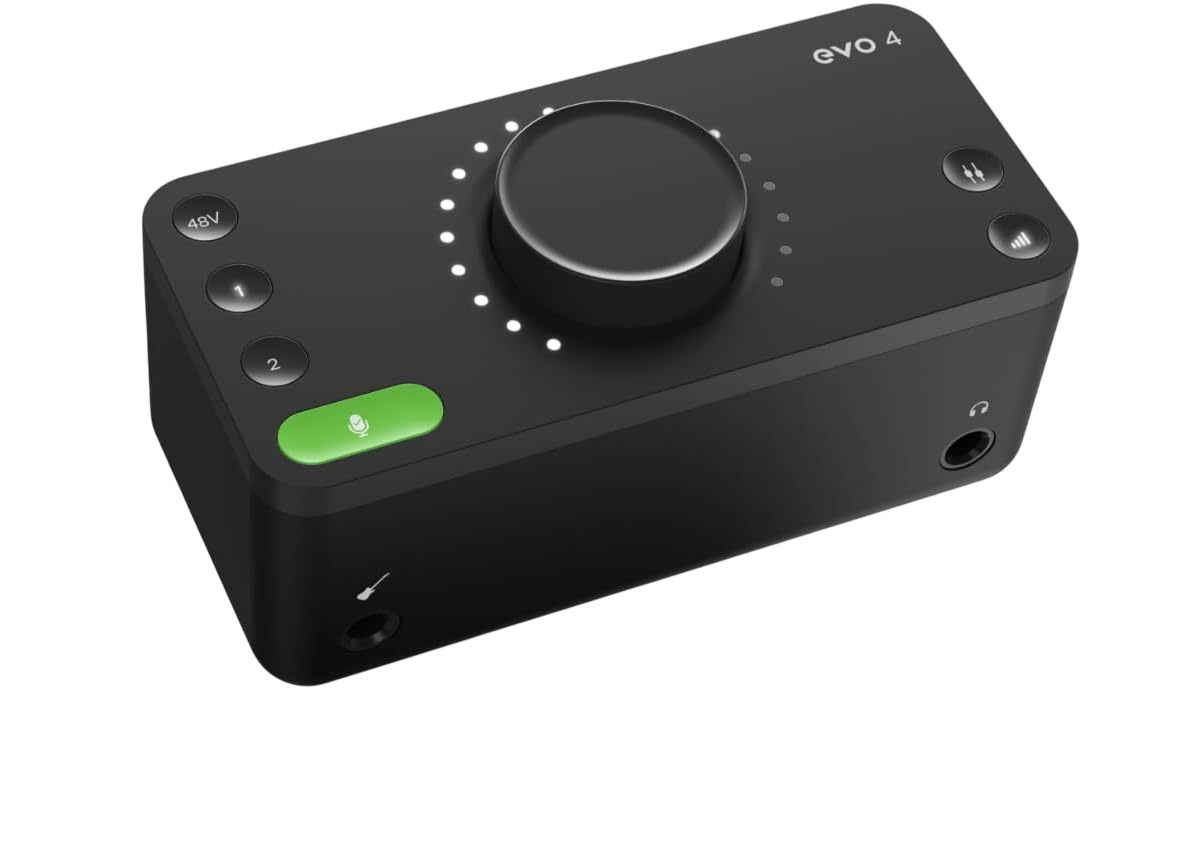
I checked Audient’s current specifications, professional testing, YouTube reviews, owner discussions, and the latest firmware information to see where the EVO 4 actually stands.
Here is what matters.
Should You Buy the Audient EVO 4
If you want the short answer, yes.
The EVO 4 delivers clean recording quality without making the setup complicated.
Its two EVO microphone preamps provide up to 58 dB of gain, with microphone EIN below 128 dBu according to Audient’s current specifications.
You also get 24 bit and 96 kHz recording, two analog inputs, two analog outputs, 48V phantom power, a JFET instrument input, loopback, monitor mixing, and USB bus power.
The biggest attraction remains Smartgain.
Press a button.
Perform for a few seconds.
The EVO 4 automatically sets an appropriate input level.
That sounds like a small feature.
For beginners, it removes one of the most annoying parts of learning how to record.
My rating
| Category | Rating |
|---|---|
| Sound quality | 9.5/10 |
| Microphone preamps | 9.5/10 |
| Ease of use | 10/10 |
| Features | 9.5/10 |
| Build quality | 8.5/10 |
| Software | 9/10 |
| Value | 9.5/10 |
| Overall | 9.3/10 |
The EVO 4 makes sense for
- Podcasters
- YouTubers
- Streamers
- Voice actors
- Singers
- Home studio musicians
- Students
- Beginners
- Mobile recording
Look elsewhere if you need
- Four or more microphone inputs
- MIDI
- ADAT expansion
- Hardware DSP
- Multiple headphone outputs
- Extensive hardware routing
What Makes the EVO 4 Different
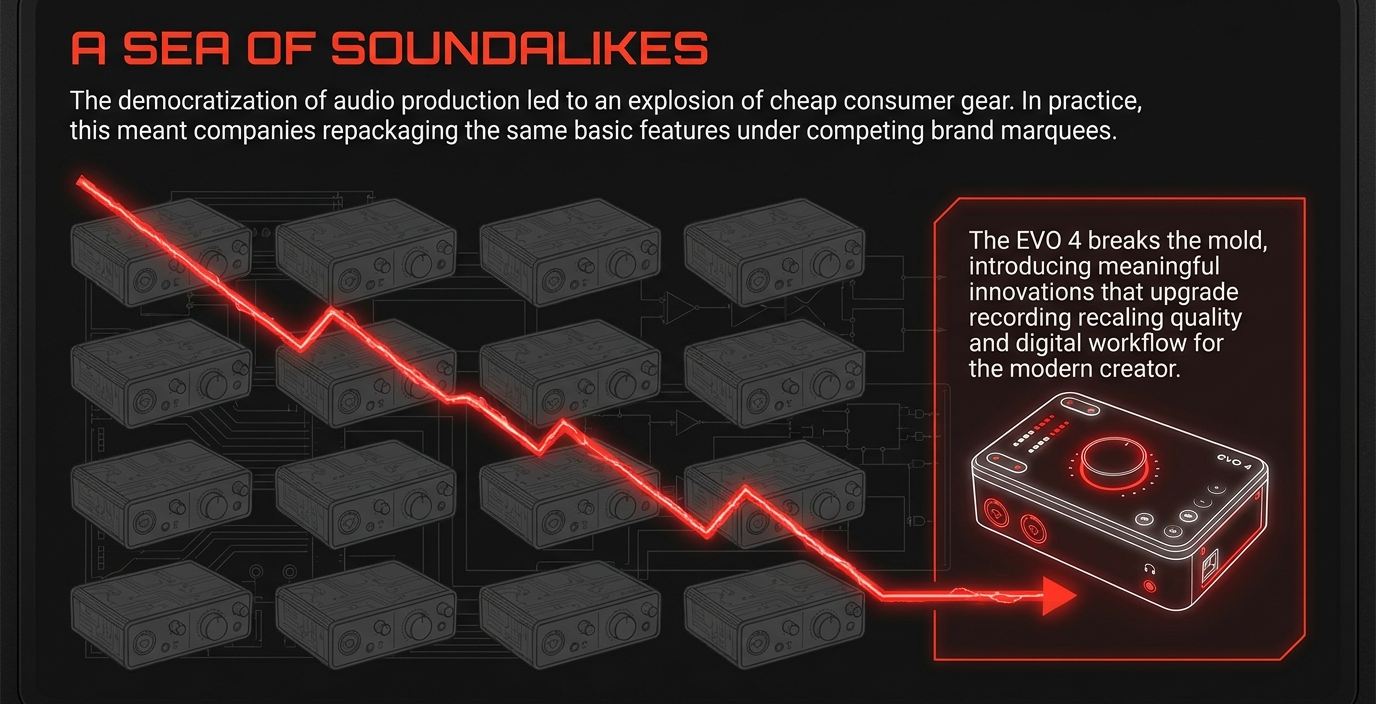
Budget audio interfaces often look remarkably similar.
The EVO 4 takes a different approach.
Instead of giving you a large collection of knobs, Audient built the interface around a large multifunction control wheel, Smartgain, Smart Touchpoints, and software based routing.
That makes the interface particularly friendly for people who have never owned an audio interface before.
Smartgain Is the Star Feature
Gain staging can confuse beginners.
You connect your microphone.
You turn the gain knob.
You speak.
Then you wonder whether the level is too low or too high.
Smartgain removes much of that guesswork.
The feature analyzes your performance and automatically sets the input level.
Audient says Smartgain can analyze and set the level in less than 20 seconds and can work on both inputs simultaneously.
That makes it particularly useful when you are both the performer and the engineer.
Is Smartgain perfect
No.
You should still understand gain staging.
If you speak quietly during the Smartgain calibration and suddenly start shouting during the recording, your level can still become too high.
The same problem happens in reverse.
A singer who calibrates at full volume and then records a very quiet section may end up with a lower recording level.
Smartgain works best when your calibration performance resembles the actual recording.
For normal podcasting and voiceovers, that is rarely difficult.
When Smartgain is useful
Smartgain is particularly useful for
- Podcasting
- Voiceovers
- Streaming
- Online teaching
- YouTube narration
- Beginner music recording
For experienced engineers, manual gain remains perfectly fine.
For beginners, Smartgain shortens the learning curve.
What Professional Testing Shows
One useful way to judge Smartgain is to compare marketing claims with independent testing.
Podcastage’s EVO 4 review demonstrates Smartgain, loopback, preamp noise, the SM7B, latency, and the instrument input in one test.
Watch the Podcastage Audient EVO 4 review and Smartgain demonstration
The video is particularly useful for readers who want to hear the interface rather than simply read specifications.
The One Knob Design
The large control wheel looks unusual when you first see the EVO 4.
You use it to control different functions depending on which button you press.
That includes input gain and monitor volume.
The LED ring provides visual feedback.
The design keeps the interface small and uncluttered.
There is a tradeoff.
If you prefer having a dedicated physical knob for every input, the EVO 4 may feel less convenient than a traditional interface.
If you prefer minimal controls, you will probably like it.
Built In Loopback
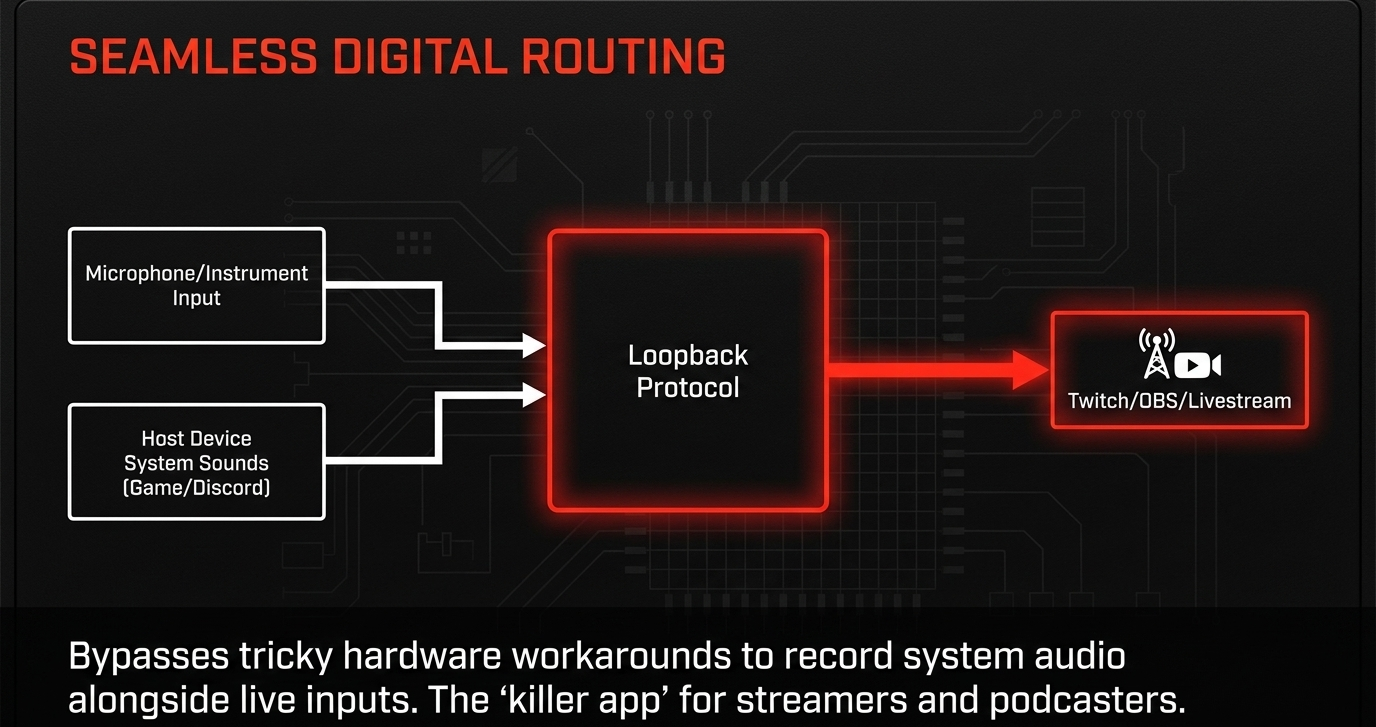
Loopback is one of the EVO 4’s strongest features for content creators.
It allows you to combine computer audio with your microphone and send the resulting mix into recording or streaming software.
Audient specifically positions the feature for recording computer audio, gaming audio, and video calls.
That makes the EVO 4 particularly interesting for
- Twitch streaming
- YouTube
- Podcast interviews
- Discord recording
- Online classes
- Reaction videos
- Screen recording
The firmware history is also interesting.
Audient added the loopback mixer through a firmware update, showing that the company continued developing the EVO platform after launch.
Audient EVO 4 Specifications
| Feature | Audient EVO 4 |
|---|---|
| Inputs | 2 analog |
| Outputs | 2 analog |
| Mic preamp gain | 58 dB |
| Phantom power | 48V |
| Recording resolution | 24 bit |
| Maximum sample rate | 96 kHz |
| Mic EIN | Below 128 dBu |
| ADC dynamic range | 113 dB A weighted |
| DAC dynamic range | 113 dB A weighted |
| Instrument input | JFET |
| Instrument impedance | 1 MΩ |
| Loopback | Yes |
| Monitor mix | Yes |
| Monitor pan | Yes |
| Connection | USB Type C |
| Power | USB bus powered |
| Weight | 360 g |
| Dimensions | 140 mm x 67 mm x 67 mm |
These figures come from Audient’s current EVO 4 specifications.
Did You Know
The EVO 4’s microphone preamps provide 58 dB of gain, while the JFET instrument input also provides a 58 dB gain range.
The instrument input has a 1 MΩ impedance, which is useful for passive electric guitar and bass pickups.
That high impedance input is one reason the EVO 4 makes sense for guitarists who want to record a clean DI signal.
Design and Build Quality
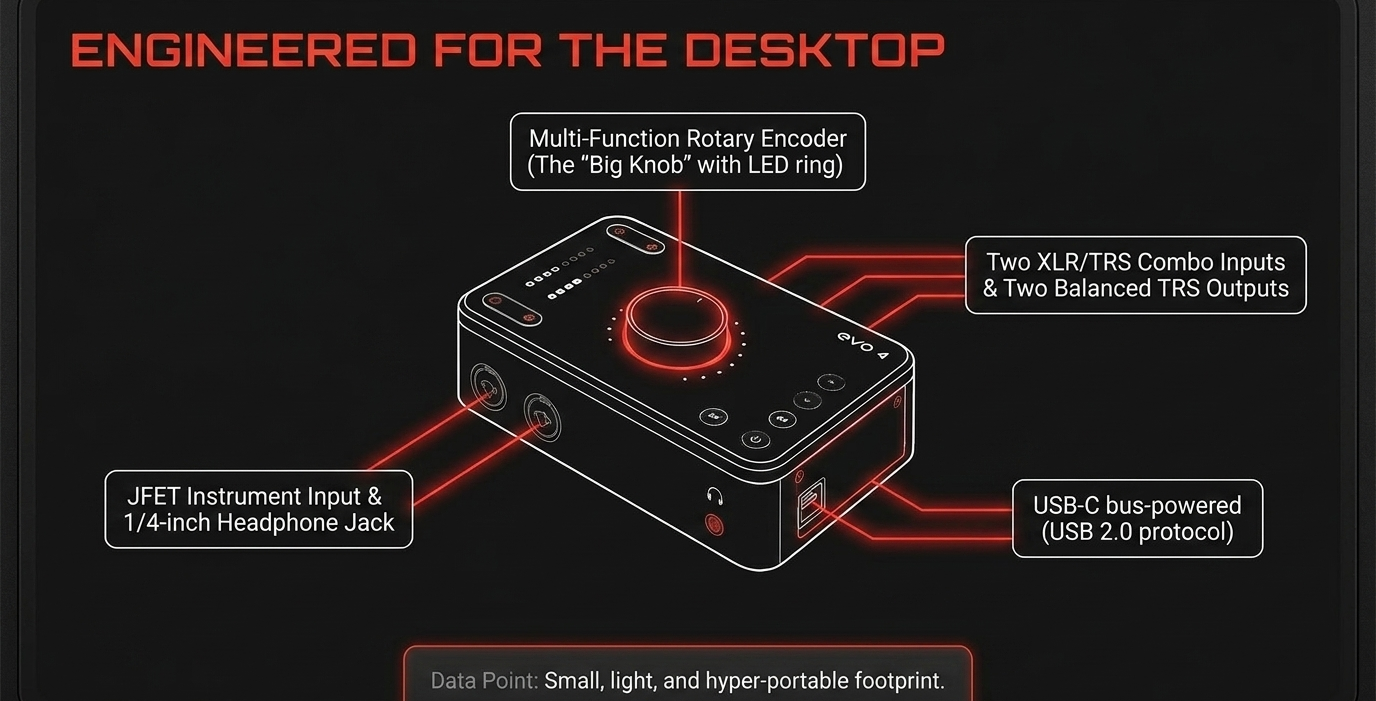
The EVO 4 is tiny.
It measures just 140 mm wide and weighs 360 grams.
That makes it easy to move between a desk, studio, classroom, or travel setup.
The enclosure uses plastic rather than the heavier metal construction found on some competing interfaces.
That gives you a lighter device.
It also means the EVO 4 does not feel as rugged as some metal alternatives.
For a permanent home studio, that difference probably will not matter.
For someone throwing the interface into a backpack every day, I would still recommend using a protective case.
Does it feel cheap
Not exactly.
The interface feels lightweight rather than fragile.
The control wheel is the centerpiece and the illuminated controls make the unit feel more modern than many traditional budget interfaces.
The physical design also keeps the footprint small.
That is a real advantage if you have limited desk space.
What Comes in the Box
The package includes the EVO 4 and a USB Type C to USB Type A cable.
You will still need
- A microphone
- An XLR cable
- Headphones
- A microphone stand
- Studio monitors if you want speakers
The EVO 4 itself is USB bus powered, so you do not need a separate power adapter.
Setup Experience
The basic setup is simple.
Connect the EVO 4 to your computer.
Install the appropriate Audient software where required.
Select the EVO 4 as your input and output device.
Then open your DAW.
The interface works with Mac, Windows, and iOS according to Audient.
The software becomes more important when you want to configure advanced routing and loopback.
For basic recording, however, you can get started quickly.
Audio Quality
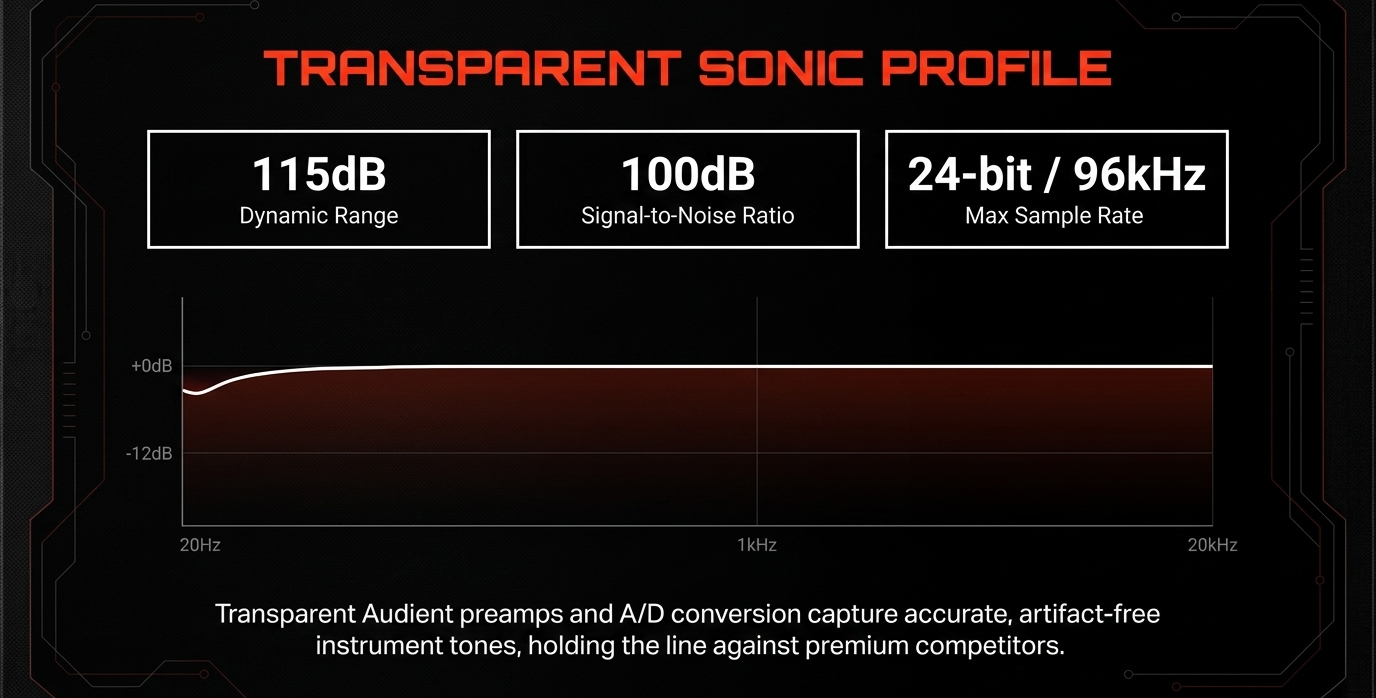
This is where the EVO 4 earns most of its reputation.
The interface uses two EVO microphone preamps and Audient’s converter technology.
The microphone inputs provide up to 58 dB of gain, while Audient specifies microphone EIN below 128 dBu and an ADC dynamic range of 113 dB A weighted.
The practical takeaway is simple.
The EVO 4 does not need to be the weak point in a serious home recording setup.
Your microphone, room, microphone technique, and processing will usually make a much bigger difference.
Microphone Preamps
The EVO 4’s preamps are designed for clean recording.
That makes them suitable for microphones across a wide range of applications.
You can use them with
- Dynamic microphones
- Condenser microphones
- Broadcast microphones
- Voiceover microphones
- Studio condensers
The low noise performance becomes especially useful when recording quieter sources.
You can raise the gain without immediately introducing an obvious layer of interface noise.
That does not mean every microphone will have identical results.
Microphone sensitivity varies significantly.
A low output dynamic microphone can still benefit from additional gain.
Can the EVO 4 Power an SM7B
This is one of the questions that comes up repeatedly.
The EVO 4 provides 58 dB of microphone gain.
That may be enough depending on your voice, microphone distance, recording software, and desired headroom.
The Shure SM7B is relatively insensitive, so some users may want more gain than the EVO 4 can comfortably provide.
You may find yourself running the interface close to maximum gain.
That does not automatically mean you need a Cloudlifter or FetHead.
Try the microphone first.
If you need more clean gain, an inline booster can help.
The important point is that the EVO 4 does not have unlimited gain.
A Reddit discussion about the EVO 4 and Rode Procaster shows why this matters.
Users comparing the Procaster, PodMic, SM7B, EVO 4, and MOTU M2 raised the question of whether the EVO 4 provided enough practical gain for low output dynamic microphones.
A separate Reddit user using an SM57 reported needing the EVO 4 close to maximum gain. Another commenter pointed out that the SM57 simply needs a lot of gain.
That is a useful distinction.
The issue does not automatically mean the EVO 4 has a bad preamp.
It means microphone sensitivity matters.
Vocal Recording
The EVO 4 is an excellent choice for home vocal recording.
A good condenser microphone can capture plenty of detail through its preamps.
Dynamic vocal microphones also work well.
The interface itself does not force you into one particular sound.
That gives you freedom during mixing.
You can make the vocal warmer with EQ.
You can add compression.
You can add saturation.
You can keep it clean.
The interface gives you a solid starting point.
Podcast Recording
Podcasting may actually be the EVO 4’s strongest use case.
Two inputs allow you to record two microphones simultaneously.
Smartgain makes setup easier.
Loopback helps with remote recordings and computer audio.
Direct monitoring helps you hear yourself without depending entirely on software monitoring.
The small size also makes it useful for creators who do not have a permanent studio.
If your podcast uses two hosts sitting in the same room, two inputs are enough.
If you regularly record three or four people with individual microphones, you will quickly need a larger interface.
What Podcast Owners Say
Reddit provides a useful reality check here.
In one podcasting discussion, users comparing interfaces for a two microphone setup specifically praised the EVO 4 and MOTU M2 for audio quality and low noise.
One owner said they eventually preferred the EVO 4 because it was lighter, more portable, and easier to carry.
That is an important advantage if your recording setup moves around.
Guitar Recording
The dedicated JFET instrument input is another strong feature.
The input has a 1 MΩ impedance, which suits guitar and bass pickups.
That gives you a useful direct signal for amp simulation and music production.
You can record the DI signal and process it later with software such as Guitar Rig, Amplitube, Neural DSP, or other amp simulation tools.
This flexibility is valuable for home producers.
You do not have to commit to an amp sound while recording.
Streaming
The EVO 4 makes sense for streamers because of its loopback functionality.
You can combine microphone audio with computer playback and route the result into your streaming software.
That can simplify a setup involving
- Microphone
- Game audio
- Browser audio
- Discord
- OBS
The less complicated your audio routing becomes, the fewer things you have to troubleshoot before going live.
YouTube Recording
The EVO 4 works particularly well for YouTube creators who record voiceovers and screen content.
You can record your microphone while routing computer audio through the interface.
The compact size also helps if your desk doubles as a gaming, studying, and recording setup.
Headphone Output
The headphone output is good, but this is one area where you should pay attention to the specifications.
Audient lists an output impedance below 50 ohms and publishes maximum output figures at different headphone loads.
The EVO 4 can handle many common studio headphones.
However, headphone loudness depends on sensitivity and impedance.
Do not assume that a headphone’s impedance alone tells you how loud it will be.
What About 250 Ohm Headphones
This is where expectations should be realistic.
A 250 ohm headphone may work perfectly well but may not have as much volume headroom as you would get from a stronger dedicated headphone amplifier.
The EVO 4 can deliver 20 mW into 600 ohms according to Audient’s specifications.
For typical podcasting and home recording, that is unlikely to become a major problem.
If you already own difficult to drive headphones and regularly need very high listening levels, check the specific headphone’s sensitivity before buying.
What Owners Say About the Headphone Output
The community experience is generally positive.
A Reddit user discussing an EVO 4 with Sennheiser HD58X headphones reported using the interface at around 65 percent volume and described the output as competent.
Other discussions focus more on microphone gain than headphone power.
That distinction matters.
The EVO 4’s headphone output and microphone gain should be evaluated separately.
Latency Performance
Latency matters when you monitor through software.
The EVO 4’s official specifications give specific reference measurements.
At a 32 sample buffer, Audient lists approximately 5 ms round trip software monitoring latency at 44.1 kHz and approximately 4.1 ms at 96 kHz.
Audient also lists approximately 2.5 ms DAW playback latency at 44.1 kHz with a 32 sample buffer.
The DSP mixer itself has much lower round trip figures.
Audient lists approximately 0.594 ms at 44.1 kHz and 0.552 ms at 48 kHz for its DSP mixer path.
Real world latency varies.
Your computer matters.
Your DAW matters.
Your drivers matter.
Your plugins matter.
Your buffer size matters.
So treat these numbers as reference measurements rather than a guarantee for your own system.
Recommended Buffer Sizes
| Buffer | Best use | What to expect |
|---|---|---|
| 32 samples | Software instruments | Very low latency with high CPU demand |
| 64 samples | Vocals and guitar | Low latency |
| 128 samples | Podcasting and streaming | Good balance |
| 256 samples | Mixing | More CPU headroom |
If you are recording vocals, 64 or 128 samples is a sensible starting point.
If you are mixing a large project with many plugins, increase the buffer.
Direct Monitoring
Direct monitoring is useful when you want to hear the incoming signal without waiting for the computer to process it.
This is particularly useful for
- Vocals
- Podcasting
- Voiceovers
- Guitar
- Live streaming
You can focus on your performance rather than worrying about a delay between your mouth and your headphones.
EVO Control Software
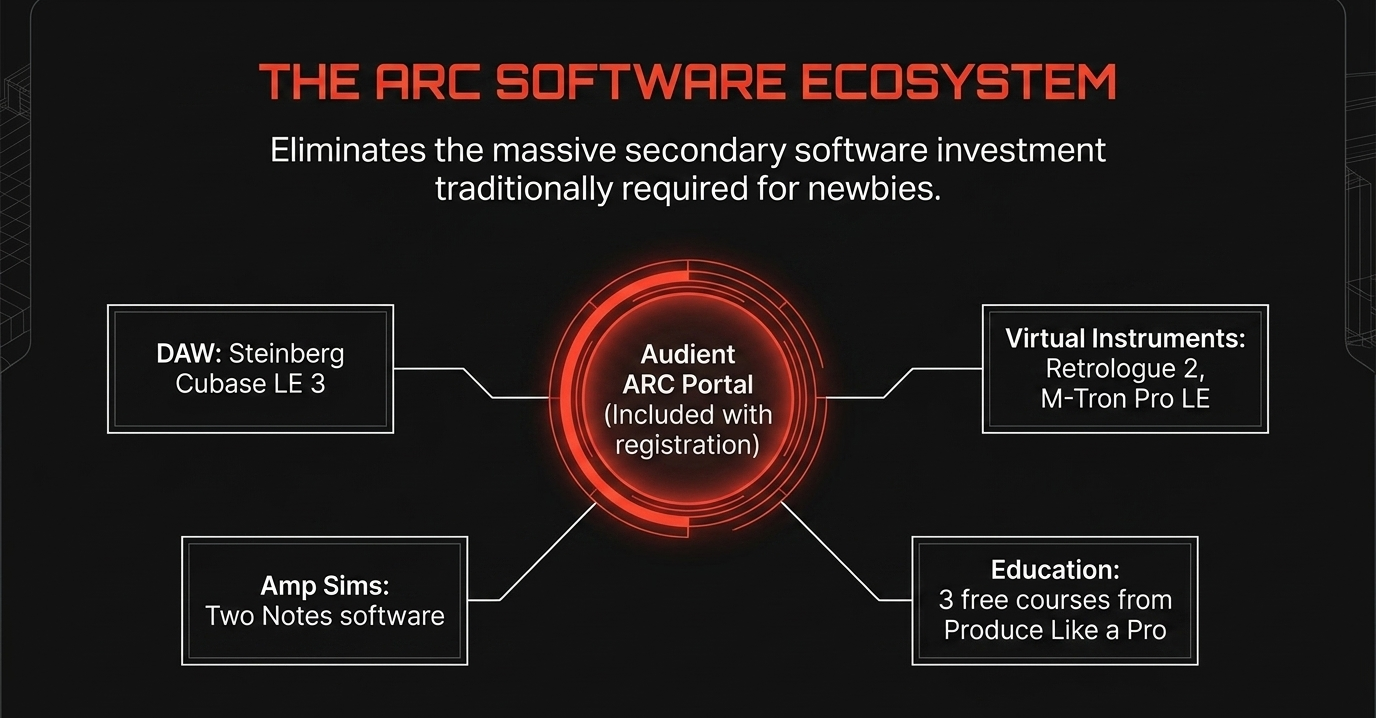
EVO Control gives you access to functions that would be difficult to manage entirely from the small hardware controls.
The software handles things such as
- Loopback routing
- Monitor mixing
- Firmware updates
- Input control
- Monitoring configuration
Audient lists monitor mix, monitor pan, and audio loopback among the EVO 4’s features.
The approach makes sense.
The hardware stays compact.
The software provides the deeper controls.
Firmware Support in 2026
This deserves attention because the EVO 4 is not an abandoned product.
Audient’s current firmware changelog shows version 1.4.12, released in July 2026.
That update fixed a low input signal issue after power up.
Earlier updates addressed host communication, master level imbalance, temperature stability, firmware update failures, iOS detection, input metering, and loopback functionality.
That is a good sign for anyone buying the EVO 4 today.
You are not buying a device that stopped receiving attention immediately after launch.
Audient EVO 4 vs Focusrite Scarlett Solo
The Scarlett Solo is one of the EVO 4’s most obvious competitors.
Both are designed for beginners.
Both can produce excellent recordings.
The biggest difference comes from the workflow.
| Feature | EVO 4 | Scarlett Solo |
|---|---|---|
| Two mic inputs | Yes | No |
| Smartgain | Yes | No |
| Loopback | Yes | Yes on current generation |
| Instrument input | Yes | Yes |
| Physical gain controls | Simplified control wheel | Traditional controls |
| Best strength | Simplicity and features | Familiar traditional interface |
If you need two microphone inputs, the EVO 4 immediately becomes more attractive.
If you record alone with one microphone and prefer traditional controls, the Scarlett Solo can make more sense.
Audient EVO 4 vs MOTU M2
The MOTU M2 is another serious competitor.
The M2 has excellent metering and a more traditional interface design.
The EVO 4 focuses more heavily on simplicity and Smartgain.
| Category | Better choice |
|---|---|
| Beginner workflow | EVO 4 |
| Smartgain | EVO 4 |
| Physical metering | MOTU M2 |
| Traditional controls | MOTU M2 |
| Compact design | EVO 4 |
| Feature simplicity | EVO 4 |
A Reddit podcasting discussion provides useful context here.
One user who had owned both the MOTU M2 and EVO 4 described both as extremely quiet and said they preferred the EVO 4 for its lighter weight and portability.
If you enjoy watching detailed meters while recording, the MOTU M2 has a strong advantage.
If you want the interface to do more of the setup work for you, the EVO 4 is more appealing.
Audient EVO 4 vs Universal Audio Volt 1
The Volt 1 takes a different approach.
Universal Audio includes a Vintage preamp mode designed to add a more colored character.
The EVO 4 focuses on clean recording and flexible routing.
Choose the EVO 4 if you want simplicity and two inputs.
Choose the Volt 1 if you particularly like the idea of its Vintage preamp character and only need one microphone input.
The Comparison That Matters Most
If you are stuck between these interfaces, use this simple decision table.
| If you care most about | Pick |
|---|---|
| Smartgain | EVO 4 |
| Two microphone inputs | EVO 4 |
| Simple creator workflow | EVO 4 |
| Traditional metering | MOTU M2 |
| Metal construction | MOTU M2 or Scarlett |
| Vintage style preamp mode | Volt 1 |
| Solo microphone recording | Scarlett Solo or Volt 1 |
| Two person podcasting | EVO 4 or MOTU M2 |
| Portable setup | EVO 4 |
| MIDI | MOTU M2 |
| Large studio expansion | Look at a larger interface |
Pros
- Excellent microphone preamps
- Very low noise performance
- Smartgain
- Built in loopback
- Two microphone inputs
- JFET instrument input
- Compact design
- USB bus power
- Mac compatibility
- Windows compatibility
- iOS compatibility
- 24 bit and 96 kHz recording
- Useful direct monitoring
- Continued firmware support
Cons
- Plastic construction
- No MIDI
- Only two inputs
- One headphone output
- Some demanding headphones may need more amplification
- Less traditional physical control layout
- 58 dB of gain may not be enough for every low output dynamic microphone setup
Who Should Buy the Audient EVO 4
Podcasters
The EVO 4 is an excellent fit for solo and two person podcasts.
Two microphone inputs cover the basic setup.
Loopback helps with remote recordings.
Smartgain makes level setup easier.
YouTubers
If your workflow involves voiceovers, tutorials, screen recordings, or streaming, the EVO 4 gives you useful routing options without requiring a large mixer.
Streamers
Loopback is the biggest attraction here.
You can route computer audio and microphone audio together without building a complicated external setup.
Singers
The clean preamps and 48V phantom power make the EVO 4 suitable for condenser microphones and home vocal recording.
Guitarists
The JFET instrument input makes it a useful DI interface for amp simulation and software based guitar processing.
Students
The compact size and USB power make it easy to move around.
You can use it at a desk without dedicating an entire room to a recording setup.
Who Should Skip It
The EVO 4 is not the right tool for every studio.
Look for something larger if you need
- Four or more microphone inputs
- Multiple headphone outputs
- MIDI connections
- ADAT expansion
- Hardware DSP
- Large monitoring systems
- Extensive external hardware routing
The EVO 4 is a compact two input interface.
Treat it that way.
Common Problems and Fixes
The EVO 4 Is Not Detected
Start with the basics.
Try another USB port.
Try the original cable.
Restart the computer.
Install the latest Audient software.
Check whether the interface appears in your operating system’s audio settings.
One Reddit owner reported a detection problem that was eventually traced to the unit itself after checking cables and other variables.
Another user had trouble setting up the EVO 4 with an Apple M2 Mac mini and reported issues involving firmware and software.
These are individual reports rather than evidence of a widespread failure.
They do show why buying from a seller with a reasonable return policy is sensible.
Crackling Audio
Crackling often points toward a configuration problem rather than poor converter quality.
Try increasing the buffer size.
Close unnecessary applications.
Check your DAW sample rate.
Make sure your computer is not overloaded.
Windows users should also use the appropriate Audient driver rather than randomly switching between generic audio drivers.
Smartgain Is Not Setting the Level Correctly
Make sure your test performance resembles the actual recording.
Speak at your normal distance.
Use your normal volume.
Then perform the loudest part you expect during the session.
Smartgain can only react to the signal you give it.
Firmware Problems
Keep the EVO 4 firmware current.
Audient’s July 2026 changelog shows that firmware updates continue to address bugs and compatibility issues.
If an update fails, follow Audient’s official recovery instructions rather than repeatedly forcing the update.
Long Term Reliability
The EVO 4 has been available for several years now, which gives us something that launch reviews cannot provide.
We can look at owner experiences over time.
Most discussions are positive.
Some users report using the interface for years without major issues.
There are also reports of individual hardware problems.
One Reddit user reported an EVO 4 that stopped receiving microphone signal and required support.
Another user reported setup and firmware problems with an EVO 4 connected to an M2 Mac mini.
These reports should not be interpreted as evidence that every EVO 4 develops the same problem.
They are useful because they show the kinds of issues real owners can encounter.
There are also strong positive reports.
One podcasting user who had experience with both the EVO 4 and MOTU M2 described both as extremely quiet and preferred the EVO 4 because it was lighter and more portable.
That balance is important.
No piece of consumer electronics has a zero failure rate.
The EVO 4’s long availability and continuing firmware support make it a more proven purchase than a newly launched interface with no long term track record.
What Reddit Users Actually Discuss
Reddit is useful because it exposes practical questions that official specifications cannot answer.
A podcasting discussion comparing interfaces for a two microphone setup praised the EVO 4 and MOTU M2 for audio quality and low noise. One owner specifically preferred the EVO 4 because it was lightweight and portable.
Another discussion focused on the EVO 4 with low output microphones such as the Rode Procaster and PodMic. The conversation shows that microphone sensitivity and available gain can become important with these microphones.
A separate discussion involving an SM57 shows the same issue from another angle. The user found that the interface needed to be near maximum gain, while another commenter pointed out that the SM57 itself needs substantial gain.
That is a much more useful takeaway than simply saying the EVO 4 is good or bad with dynamic microphones.
Useful Reddit Discussions
These are worth attaching for readers who want real owner experiences.
EVO 4 and MOTU M2 podcasting discussion
EVO 4 with Rode Procaster and PodMic discussion
EVO 4 with Shure SM57 gain discussion
These should be presented as community experiences rather than universal proof.
Best Accessories for the EVO 4
The EVO 4 does not need expensive accessories.
A balanced setup is usually better than spending most of your budget on the interface.
Microphones
For podcasting and streaming, consider
- Shure SM58
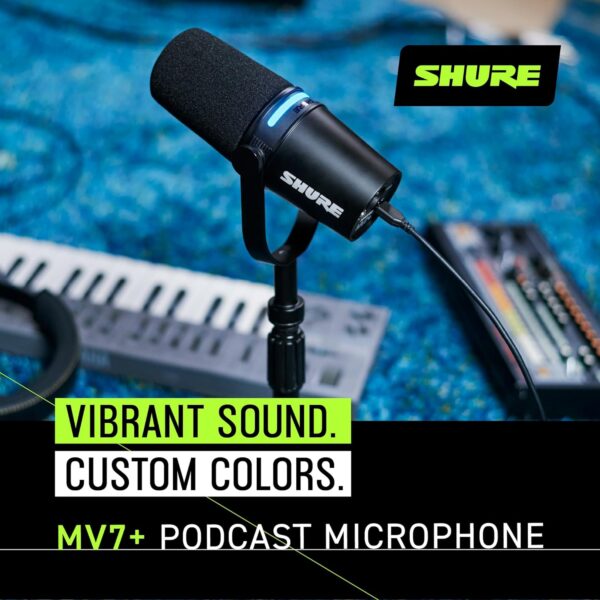
- Shure MV7
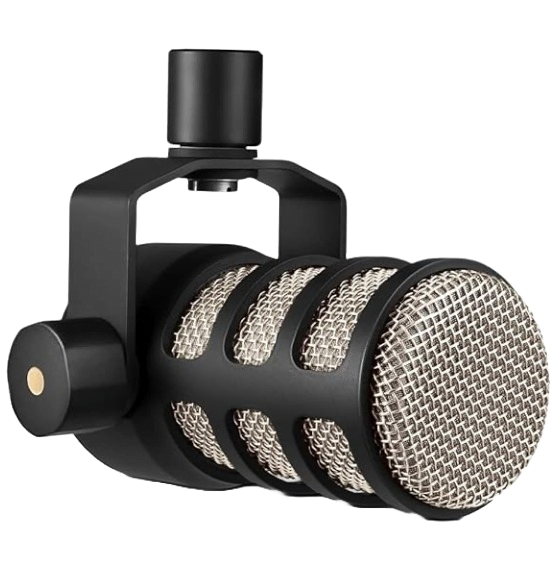
- RODE PodMic
- RODE Procaster
- Audio Technica AT2020
- RODE NT1
The EVO 4’s 58 dB of gain means microphone sensitivity deserves attention.
If you choose a low output dynamic microphone, consider whether you need an inline gain booster.
Headphones
Good options include
- Sony MDR 7506
- Audio Technica ATH M40x
- Audio Technica ATH M50x
- Beyerdynamic DT 770 Pro 80 ohm
- Sennheiser HD650
Podcastage specifically tested the EVO 4 with the Sennheiser HD650 and described the headphone amplifier positively in its review.
Watch the EVO 4 headphone and Smartgain testing from Podcastage
Studio Monitors
Suitable options include
- Yamaha HS5
- JBL 305P MkII
- Kali Audio LP 6
You do not need expensive monitors to start.
Room acoustics often matter more than the difference between two interfaces.
Microphone Stand
A stable stand is worth buying.
A good stand keeps the microphone at a consistent distance and prevents desk vibrations from reaching the recording.
Pop Filter or Windscreen
For spoken word and vocals, a pop filter can reduce explosive P and B sounds.
This is particularly useful when using a condenser microphone close to your mouth.
XLR Cable
Do not overspend on the cable.
A properly constructed XLR cable from a reputable manufacturer is enough.
You do not need a premium cable to make the EVO 4 sound better.
Protective Case
The compact size makes the EVO 4 portable.
If you regularly travel with it, a small protective case is a sensible addition.
The interface weighs only 360 grams, so there is little reason to build a huge travel rig around it.
A Sensible EVO 4 Podcast Setup
For a two person podcast, a practical setup could look like this
| Component | Example |
|---|---|
| Interface | Audient EVO 4 |
| Microphones | 2 x Shure SM58 |
| Headphones | 2 x closed back studio headphones |
| XLR cables | 2 |
| Mic stands | 2 |
| Pop filters | 2 |
| Recording software | Audacity, Reaper, Logic Pro, or similar |
| Computer audio | EVO 4 loopback |
The important part is not buying the most expensive component.
The important part is building a signal chain where every part does its job.
A Sensible EVO 4 Streaming Setup
For streaming, you can simplify the setup further.
| Component | Example |
|---|---|
| Interface | Audient EVO 4 |
| Microphone | Shure MV7 or dynamic microphone |
| Headphones | Closed back studio headphones |
| Software | OBS Studio |
| Computer audio | EVO 4 loopback |
| Monitoring | EVO 4 direct monitoring |
The loopback functionality is the reason the EVO 4 makes particular sense here. Audient explicitly positions loopback toward streamers and content creators.
The Biggest Mistake New Buyers Make
People often spend too much money on the interface and too little on the microphone and recording environment.
The EVO 4 already provides very clean conversion and preamps.
Buying a much more expensive interface will not magically remove a noisy room.
It will not fix poor microphone placement.
It will not fix an untreated room with strong reflections.
For a beginner, I would rather see a balanced setup.
Spend enough on the interface.
Then put money into the microphone, headphones, stand, acoustic treatment, and recording space.
Is the EVO 4 Still Worth Buying in 2026
Yes.
The EVO 4 is no longer the newest interface on the market.
That does not make it outdated.
Its core features remain useful.
You still get two good preamps.
You still get Smartgain.
You still get loopback.
You still get a JFET instrument input.
You still get 24 bit and 96 kHz recording.
And Audient continues to publish firmware updates in 2026.
The market has changed, though.
Newer interfaces can offer stronger headphone amplifiers, more inputs, better displays, or newer connectivity.
So the EVO 4 should be bought because its feature combination fits your workflow.
Not simply because it is popular.
2026 Update
Audient’s current firmware changelog lists version 1.4.12, released on July 23, 2026.
The update fixed a low input signal problem after power up.
Earlier updates addressed communication performance, level imbalance, temperature stability, firmware installation failures, iOS detection, input metering, and loopback.
That gives the EVO 4 an important advantage over many older budget interfaces.
Audient is still maintaining it.
Is the EVO 4 Right for You
Use this quick decision guide.
| Your situation | Recommendation |
|---|---|
| First audio interface | Excellent choice |
| One microphone podcast | Excellent choice |
| Two microphone podcast | Excellent choice |
| YouTube voiceover | Excellent choice |
| Streaming | Excellent choice |
| Singing | Excellent choice |
| Guitar DI | Excellent choice |
| Mobile recording | Excellent choice |
| Three or four microphones | Look elsewhere |
| MIDI production | Look elsewhere |
| Large band recording | Look elsewhere |
| Multiple headphone mixes | Look elsewhere |
| Large hardware setup | Look elsewhere |
Final Verdict
The Audient EVO 4 remains one of the easiest budget interfaces to recommend.
Its biggest strength is not one specification.
It is the combination.
You get good preamps.
You get Smartgain.
You get loopback.
You get two microphone inputs.
You get a JFET instrument input.
You get direct monitoring.
You get a tiny USB powered box.
That combination makes the EVO 4 particularly strong for creators who want to record without spending their first week learning audio engineering terminology.
For podcasters, streamers, YouTubers, voice actors, singers, and home studio beginners, the EVO 4 is an excellent choice.
For larger studios, bands, MIDI based setups, and engineers who need extensive physical controls, it is too limited.
My final score is 9.3 out of 10.
The EVO 4 is not the most powerful interface in its class.
It does not need to be.
It succeeds by making good recording easier.
Frequently Asked Questions
Is the Audient EVO 4 good for beginners
Yes.
Smartgain, the simplified control layout, loopback, and compact design make it particularly friendly for first time interface owners.
Is the Audient EVO 4 good for podcasting
Yes.
Two microphone inputs, clean preamps, direct monitoring, and loopback make it especially useful for podcasting.
Does the EVO 4 have enough gain for an SM7B
It provides up to 58 dB of microphone gain.
That may be enough depending on your voice and recording distance.
If you need more clean gain, an inline booster can help.
Can the EVO 4 record two microphones at once
Yes.
The interface provides two analog inputs.
Does the EVO 4 have loopback
Yes.
Audient provides audio loopback functionality for recording and streaming computer audio.
Does the EVO 4 work with OBS
Yes.
Its loopback capability makes it useful for OBS based streaming and recording workflows.
Does the EVO 4 work with iPhone or iPad
Audient lists iOS compatibility for the EVO 4.
Actual mobile setups can require the appropriate adapter and sufficient power depending on the device.
Does the EVO 4 need external power
No.
It is USB bus powered.
Can the EVO 4 record vocals
Yes.
The clean microphone preamps and 48V phantom power make it suitable for both dynamic and condenser microphones.
Is the EVO 4 good for guitar
Yes.
Its JFET instrument input has a 1 MΩ impedance and is designed for instrument sources.
Does the EVO 4 support MIDI
No.
If you need MIDI connections, choose a different interface.
Can I use 250 ohm headphones with the EVO 4
Yes, but maximum volume depends on the headphones.
Very demanding headphones may benefit from a dedicated headphone amplifier.
Is the EVO 4 better than the Scarlett Solo
Neither is universally better.
The EVO 4 has an advantage if you need two microphone inputs, Smartgain, and its particular loopback workflow.
The Scarlett Solo makes sense if you prefer a traditional interface layout and only need one microphone input.
Is the EVO 4 better than the MOTU M2
The EVO 4 focuses on simplicity and Smartgain.
The MOTU M2 focuses more on traditional controls and detailed metering.
Your workflow should decide between them.
How long will the EVO 4 last
There is no fixed lifespan.
Many owners report several years of use, while individual units can develop hardware problems.
Keeping firmware updated and protecting the interface from physical damage can help.
Is the EVO 4 worth buying in 2026
Yes.
It remains a strong option for creators who need a compact two input interface with Smartgain and loopback.
Its limitations become more important if your studio grows beyond two inputs.
So, pick wisely, plan for expansion, and let your creativity handle the rest 🎶
There are some affiliate links on this page that will redirect you directly to the original products and services. Also by buying through those links you will be supporting us. So thank you ^.^
Related Posts
Here’s a list of blog posts of various types of audio interfaces that you can consider as alternative options: