The best USB microphone for streaming depends on your room. For most streamers, the Elgato Wave:3 MK.2 pairs great sound with Wave Link’s mixing software. For untreated rooms with fan or keyboard noise, the HyperX QuadCast 2 and Shure MV7 handle background sound better.
Here is the fact that surprised me. The Wave:3 MK.2 ships with a Voice Focus AI effect built to clean up an untreated room, yet an independent reviewer still called the mic sibilant and room revealing straight out of the box.
By the end of this guide, you will know which mic fits your room, why condenser and dynamic mics behave so differently, and which one to skip if you never touch companion software.
This guide draws on manufacturer documentation, independent reviews, and retailer listings. It does not rest on bench testing, so I name the source whenever I share someone’s experience.
Quick Picks
| Pick | Type | Best for | Onboard DSP |
|---|---|---|---|
| Elgato Wave:3 MK.2 | Condenser | Most streamers, Stream Deck owners | Yes, Wave FX Processor |
| HyperX QuadCast 2 | Condenser | 4 polar patterns, gamers who want RGB | Limited, mostly software |
| Shure MV7 | Dynamic | Noisy or untreated rooms | App based, not on mic |
| Rode PodMic USB | Dynamic | Broadcast tone with zero setup | Yes, APHEX suite |
Buy the Wave:3 MK.2 if you want the most capable software mixer. Skip condensers entirely if your room has a loud PC fan or you type on a mechanical keyboard while talking.
Condenser or Dynamic, Which Fits Your Room?
This decides more about your sound than any spec sheet.
Condenser mics pick up detail and air in your voice. They also pick up everything else in the room. Stream Tech Reviews found the Wave:3 line very sensitive, calling out that it picks up keyboard typing and other common desk sounds during a stream.
Dynamic mics reject more of the room by design. A 12-mic streaming roundup from Sarah Lee and Johnny put it simply. If your streaming room is untreated, prioritize a dynamic mic.
My take as a musician. I would rather have a slightly duller dynamic mic in an untreated room than fight a condenser’s room pickup with EQ every session 🎧
Best USB Microphones for Streaming
Four mics cover the real decision points streamers face.
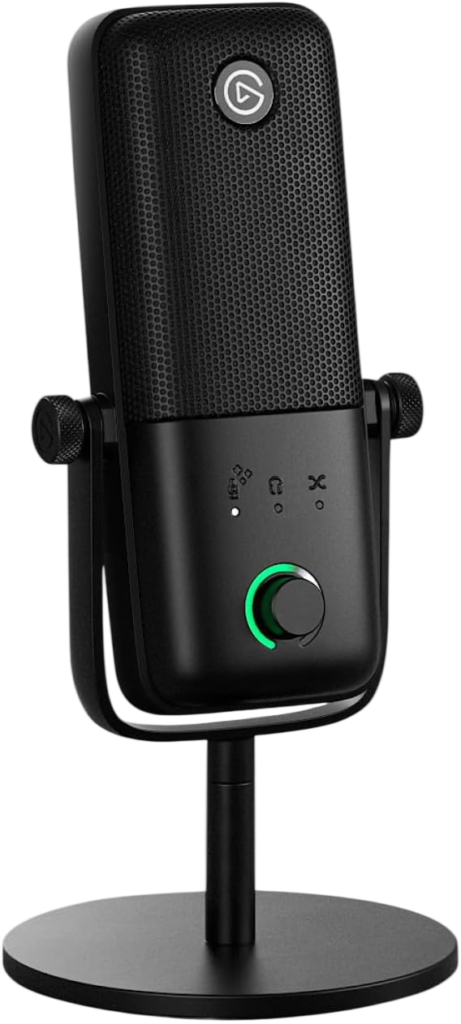
Elgato Wave:3 MK.2
The newest Wave:3 replaces the original with real onboard processing.
Elgato’s spec page lists a 16mm condenser capsule, cardioid pattern, 24-bit at 48 kHz, and a Wave FX Processor running Clipguard 2.0, Auto Gain, an expander, and a compressor directly on the mic. Sweetwater adds VST plugin support with ultra-low monitoring lag.
The Wave Link app builds up to 5 independent mixes from up to 9 sources, so your stream audience and your own headphones never have to hear the same blend.
One honest catch. Stream Tech Reviews called the Wave:3 MK.2 out of the box “super sibilant,” with sharp detail that exposes an untreated room. The same reviewer says the improved Wave Link software fixes most of it with some EQ work.
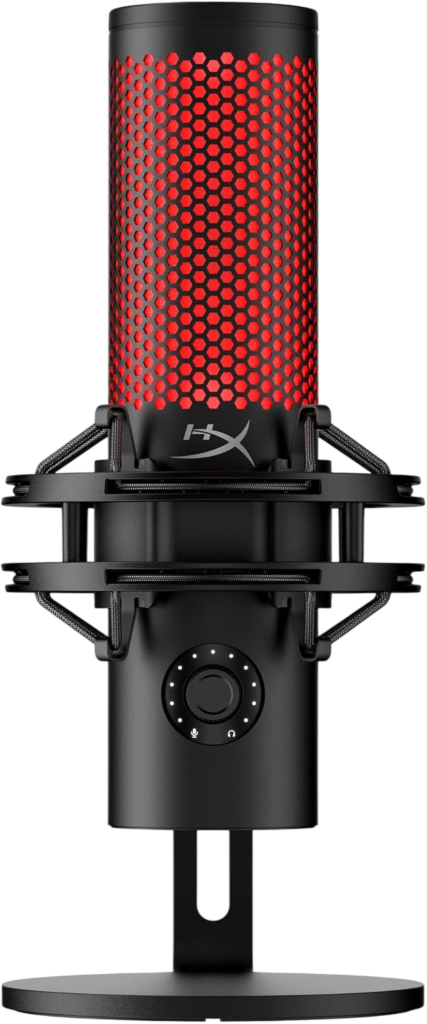
HyperX QuadCast 2
The pick for anyone who genuinely needs more than one polar pattern.
HyperX’s product page lists 24-bit and 96 kHz recording and four selectable polar patterns, cardioid, omnidirectional, bidirectional, and stereo, switched from a single multifunction knob. A redesigned shock mount uses spring loaded pins and fits standard 3/8 and 5/8 inch mounts.
The bidirectional pattern earns a specific mention. A 2026 USB mic comparison calls it the correct setup for two hosts recording face to face across one desk, since it picks up front and back while rejecting the sides.
A tap-to-mute sensor and customizable aRGB lighting round out the package. HyperX NGENUITY handles lighting, a 10-band EQ, and a limiter.
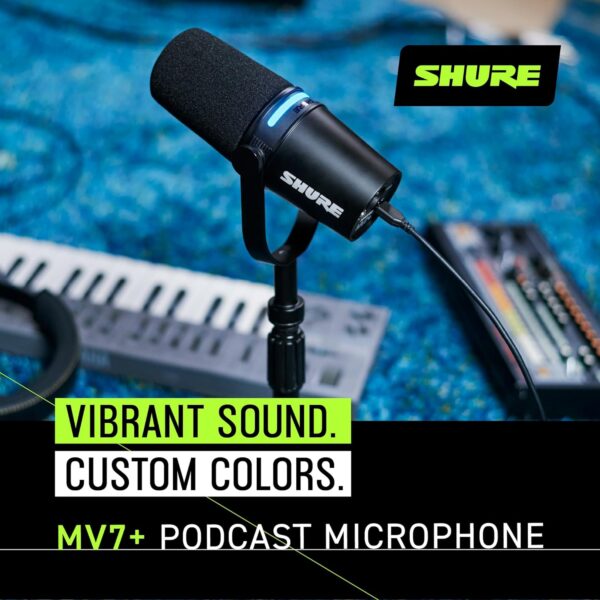
Shure MV7
The dynamic pick when your room fights back.
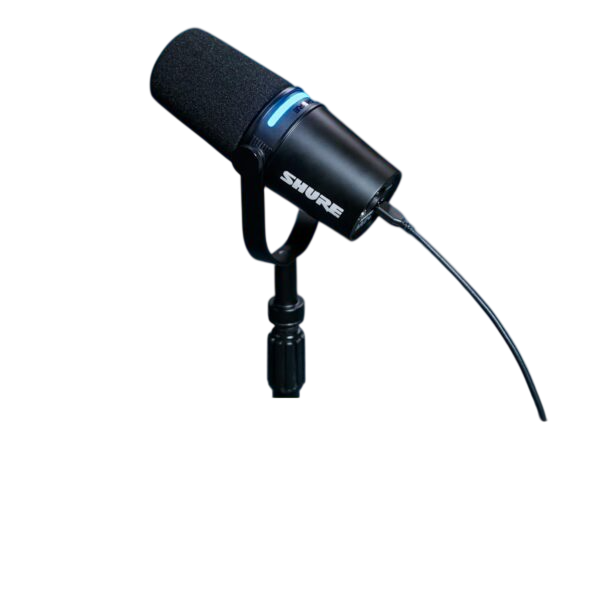
Our full Shure MV7 review covers its USB and XLR outputs, touch panel controls, and Auto Level Mode in detail. As a dynamic mic, it rejects far more room noise than either condenser above.
The tradeoff is real too. It needs more gain than a condenser, and our review covers exactly how much the USB path can supply.
Rode PodMic USB
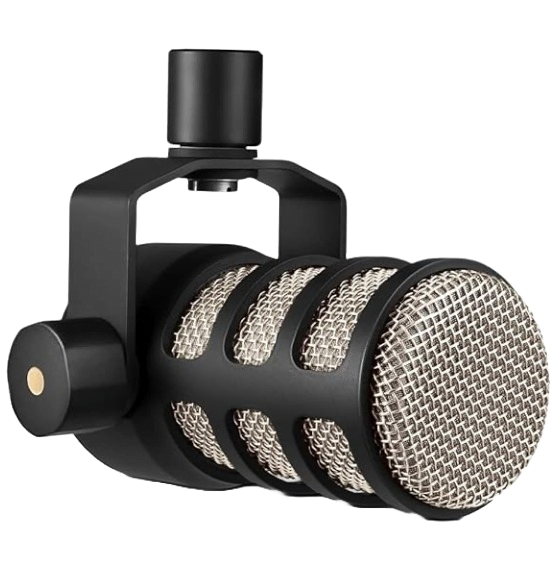
Our full Rode PodMic review covers both the original XLR only model and the USB version, which adds a built in preamp and APHEX noise gate, compressor, and exciter directly on the mic.
Pick this dynamic option if you want broadcast tone with genuinely zero setup, headphone jack included 👍
Which USB Mic Should You Buy?
Match the mic to your room, not the reviews with the most stars.
- Treated room, want deep software control. Buy the Wave:3 MK.2
- Two hosts on one desk. Buy the QuadCast 2 and use bidirectional mode
- Loud fan, keyboard, or untreated room. Buy the Shure MV7 or PodMic USB
- Want zero setup, no app required. Buy the PodMic USB
Want a full mixer instead of a single mic? Read our best audio interface for streaming guide next.
What Should You Check Before You Buy?
Four quick checks before you commit.
- Listen for your own room noise, fan, AC, keyboard, before picking condenser over dynamic
- Check whether the companion app is required for basic use or just for extras
- Confirm a headphone jack for zero latency monitoring
- Budget for a boom arm, since a desk stand alone picks up more vibration
Did You Know 🤯
The HyperX QuadCast 2 S carries over 100 individually customizable RGB LEDs, giving access to more than 16 million colors, according to HyperX’s own product page.
Best USB Microphone for Streaming FAQ
Is USB or XLR better for streaming?
USB is fine for most streamers.
A good USB mic at the same price is no worse than an XLR setup, according to a 2026 streaming mic guide. XLR helps once you add more than one mic.
Do I need a boom arm?
It helps a lot.
A boom arm takes the mic off the desk and removes vibration from typing, which matters more on sensitive condensers.
Does RGB lighting affect sound quality?
No.
Lighting is cosmetic and has no effect on the capsule or recording circuitry.
Can I use a streaming mic for podcasting too?
Yes.
All four picks here work equally well for podcasting, since both use cases just need clean spoken audio.
What polar pattern do I need?
Cardioid for solo streaming.
Switch to bidirectional only if two people share one mic across a desk.
So check your room first, pick your polar pattern second, and go live 🎶
As an Amazon Associate I earn from qualifying purchases. There are some affiliate links on this page that will redirect you directly to the original products and services. Also by buying through those links you will be supporting us. So thank you ^.^
Related Posts
Here is a list of microphone and streaming posts you can consider as alternatives.