I am a retired musician, and the first pair of real studio monitors I sat in front of made every mix I had ever made on headphones sound wrong 🔊
Affiliate links below. As an Amazon Associate I earn from qualifying purchases.
Direct answer first. The best studio monitors for a home studio are the Yamaha HS5 for most rooms, sold as the flat, honest reference every engineer compares everything else against. If your room is untreated, the KRK Rokit 5 G5 gives you onboard room correction the HS5 does not have.
On a tight budget, the PreSonus Eris E5 gets you real balanced XLR inputs and acoustic tuning for a fraction of the price.
Here is the fact that stuck with me. A published comparison ranks the $397 Yamaha HS5 only 8 spots above the $110 PreSonus Eris E5 on sound quality out of 65 powered bookshelf speakers tested, at nearly 4 times the price.
By the end of this guide, you will know which monitor size fits your room, why a flat monitor can feel worse than a fun one, and which pick actually needs the least extra gear.
This guide draws on manufacturer documentation, independent reviews, and retailer listings. It does not rest on bench testing, so I name the source whenever I share someone’s experience.
Quick Picks
| Pick | Woofer | Room correction | Best for | Price tier (each) |
|---|---|---|---|---|
| Yamaha HS5 | 5 inch | Room Control and High Trim switches | Most rooms, reference accuracy | ~$170 |
| KRK Rokit 5 G5 | 5 inch Kevlar | DSP, 25 EQ settings, KRK app | Untreated or awkward rooms | ~$200 |
| PreSonus Eris E5 | 5.25 inch | 3-position Acoustic Space switch | Tight budgets | ~$110 |
Buy the HS5 if you want the reference most studios measure against. Skip all three if your room has zero acoustic treatment and a hard budget, since bad room acoustics will beat any monitor’s accuracy.
What Monitor Size Fits Your Room?
Bigger is not automatically better, and the wrong size can hurt your mixes.
A 2026 monitor size guide breaks rooms into bands. Rooms under 130 square feet suit 3.5 inch monitors. Rooms from 130 to 220 square feet fit 4 to 4.5 inch models. The 5 inch class, including every pick in this guide, belongs in rooms of 200 to 350 square feet.
Go bigger than your room needs and you excite room modes you cannot control. Go smaller and you lose the low end information you need to mix bass properly.
Best Studio Monitors for a Home Studio
Three monitors cover the real decision points for a home setup.
Yamaha HS5
The monitor most engineers learn on, and the one other monitors get measured against.
Yamaha’s own spec sheet lists a 5 inch cone woofer, a 1 inch dome tweeter, bi-amplified design, 70W total power (45W low, 25W high), and a frequency response of 54 Hz to 30 kHz. Two rear switches, Room Control and High Trim, let you tame boundary bass buildup and adjust the top end.
A 2026 speaker ranking site placed the HS5 at 13th out of 64 medium bookshelf speakers for sound quality, praising it as very neutral, with the honest tradeoff of not quite as deep a bass response as some rivals in its size class.
One warning worth repeating. A 2026 studio monitor guide states plainly that in an untreated room, the HS5’s revealing nature can be brutal, and every room flaw gets exposed.
KRK Rokit 5 G5
The pick when your room fights back and you cannot fix it with foam alone.
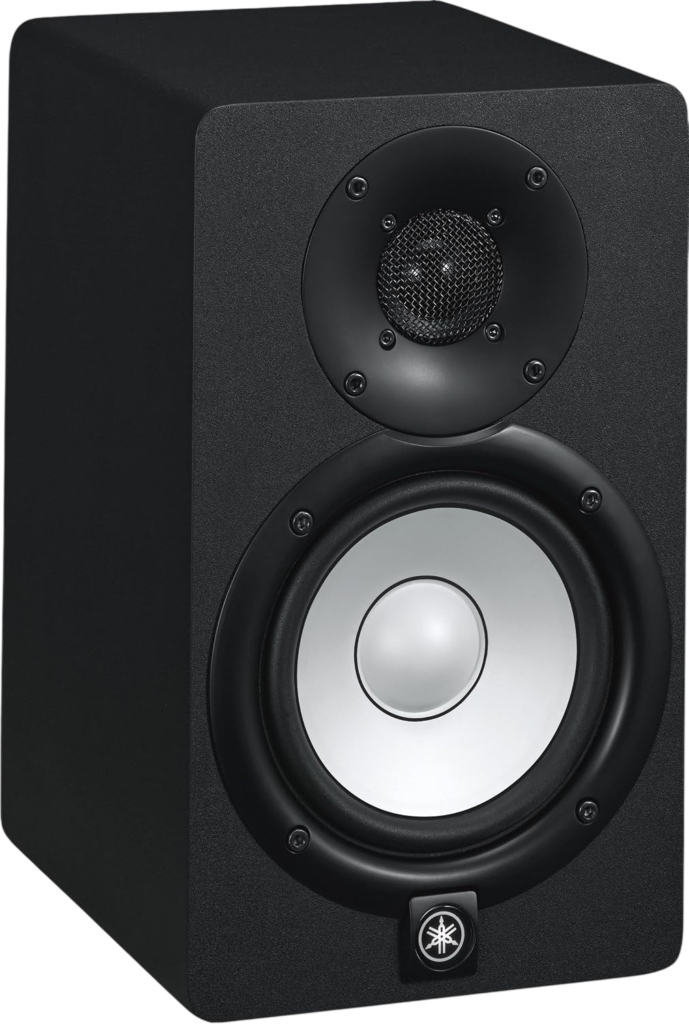
KRK’s product page lists a 5 inch Kevlar woofer, a 1 inch silk dome tweeter, 55W of Class D bi-amplification, and a wider frequency response of 43 Hz to 40 kHz. Three Voicing Modes, Mix, Focus, and Create, change the tonal character for different tasks.
The standout feature is the onboard DSP. An LCD display and the free KRK App give you 25 boundary and tuning EQ combinations to correct real problems in your specific room, something neither of the other two picks offers.
Magnetic Magazine’s 2026 review confirms the Rokit 5 G5 is still worth buying for producers, DJs, and editors who need a capable first pair of monitors under $400 a pair.
This video compares the Rokit 5 G5 directly against the Yamaha HS5 on frequency response and sound 👇
PreSonus Eris E5
The gateway monitor for a genuinely tight budget.
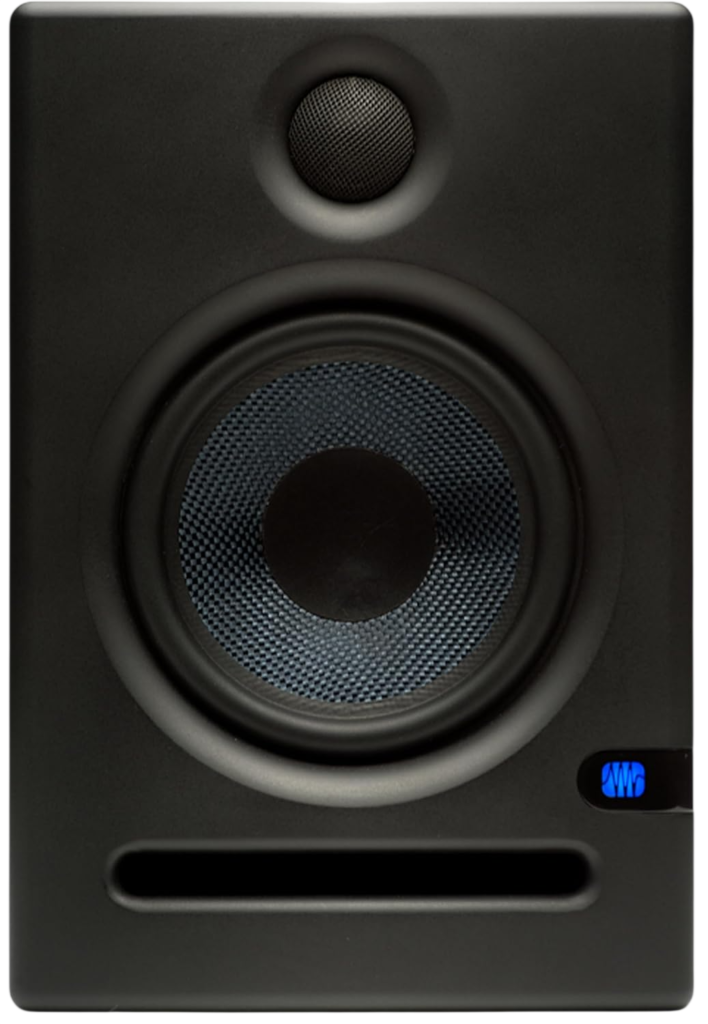
PreSonus lists a 5.25 inch woven composite woofer, a 1 inch silk dome tweeter, and 80W of bi-amplification. Real balanced XLR and TRS inputs plus an unbalanced RCA input mean it connects to almost anything, from an audio interface to a mixer.
A 3-position Acoustic Space switch (flat, -2dB, -4dB) compensates for the bass boost that happens when a monitor sits close to a wall or in a corner.
The tradeoff shows up in the numbers. A speaker ranking site puts the Eris E5 at 49th of 65 powered bookshelf speakers for sound quality, well behind the HS5, while costing roughly a quarter of the price.
My take as a musician. Buy the Eris E5 to learn your ears on real monitors, then upgrade once you know what you are listening for 🎧
Why Does a Flat Monitor Sometimes Sound Worse?
Because flat and fun are different jobs, and a lot of first time buyers expect both from one speaker.
A hi-fi speaker adds warmth and excitement on purpose, so casual music sounds better. A studio monitor is built to hide nothing, so mix problems show up before your listeners hear them.
That is exactly why the HS5’s honesty gets called brutal in an untreated room. The monitor is doing its job. The room is the problem.
Which Studio Monitor Should You Buy?
Match the monitor to your room and your wallet, not just the review scores.
- Treated room, want the industry reference. Buy the Yamaha HS5
- Untreated or awkward room. Buy the KRK Rokit 5 G5 and use its DSP room tuning
- Tight budget, still learning your ears. Buy the PreSonus Eris E5
Need an interface to feed these monitors? Read our good audio interface for home studio guide next.
What Should You Check Before You Buy?
Four quick checks before you commit.
- Measure your room and match the woofer size to it
- Confirm you are buying two units, since most listings sell monitors individually
- Check your interface or mixer has balanced XLR or TRS outputs to feed them
- Budget for basic acoustic treatment, since it affects your sound more than the monitor choice
Did You Know 🤯
The KRK Rokit 5 G5 gives you 25 separate EQ combinations through its onboard DSP and companion app, more room correction options than most home studios ever configure.
Best Studio Monitors FAQ
Do studio monitors come as a single or a pair?
Usually single.
Most retailers, including Sweetwater, sell monitors individually, priced “each.” Double check the listing before you buy.
Can I plug studio monitors into an audio interface?
Yes.
All three picks accept balanced XLR or TRS from an interface’s monitor outputs.
Do I need acoustic treatment too?
Yes, ideally.
Even the best studio monitor is limited by an untreated room, according to MusicRadar’s monitor buying guide.
Are active or passive monitors better for home studios?
Active.
Active monitors have a built in amplifier matched to their drivers. Passive monitors need a separate amp and careful matching.
Do I need a subwoofer?
Not usually with 5 inch monitors in a small room.
A subwoofer matters more for electronic or bass heavy production in a larger space.
So measure your room first, pick your monitor size second, and start mixing 🎶
As an Amazon Associate I earn from qualifying purchases. There are some affiliate links on this page that will redirect you directly to the original products and services. Also by buying through those links you will be supporting us. So thank you ^.^
Related Posts
Here is a list of interface and studio gear posts you can consider as alternatives.