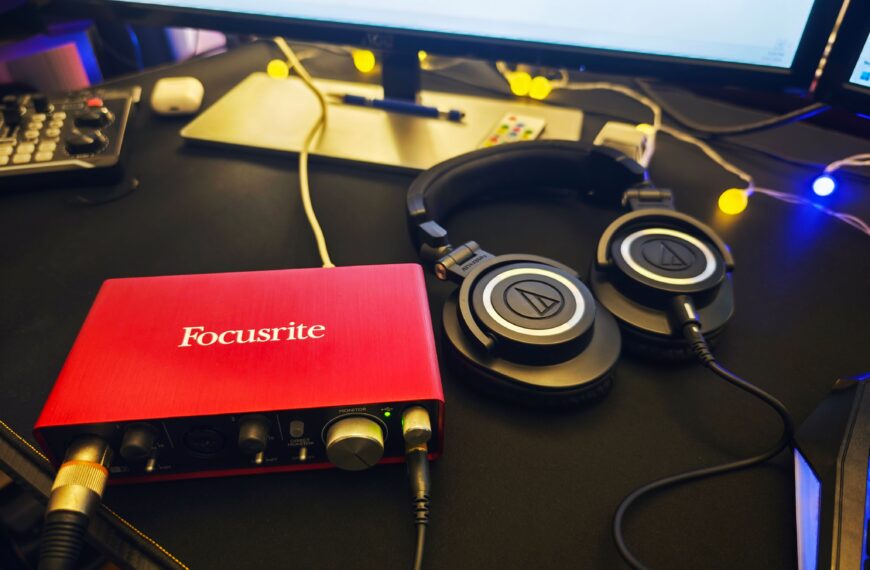
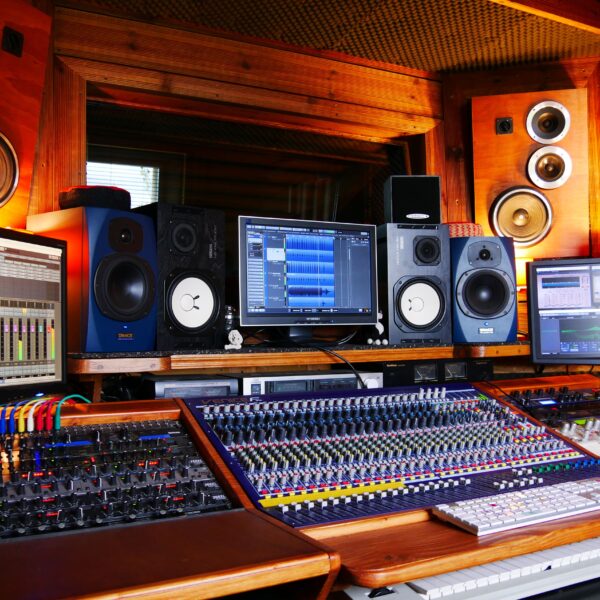
I am a retired musician, and a 2 channel interface has been the right call for almost every home setup I have ever built, no matter how big the studio dreams got 🎚️
Affiliate links below. As an Amazon Associate I earn from qualifying purchases.
Direct answer first. The best 2 channel audio interface is the Focusrite Scarlett 2i2 for most people, since Auto Gain and Clip Safe protect beginners from the single most common recording mistake. For a budget under $100, the Behringer UMC202HD gets you real Midas-designed preamps for a fraction of the price.
Here is the number that surprised me. The UMC202HD’s Midas preamps typically sell for under $90, while delivering phantom power and 24-bit 192kHz converters that used to be reserved for interfaces costing three times as much.
By the end of this guide, you will know why 2 channels is enough for almost everyone, which pick fits your actual workflow, and when you should skip all of them for something bigger.
This guide draws on manufacturer documentation and the independent reviews already cited in our full reviews of each interface below. It does not rest on new bench testing, so I name the source whenever I share someone’s experience.
Quick Picks
| Pick | Gain | Standout feature | Best for | Price tier |
|---|---|---|---|---|
| Focusrite Scarlett 2i2 | 69 dB | Auto Gain, Clip Safe | Most people, beginners | ~$180 |
| SSL 2 MKII | 64 dB | Legacy 4K analog color | Vocals, guitar, quietest preamps | ~$230 |
| Audient EVO 4 | 58 dB | Smartgain auto level | Hands-off beginners, tiny desks | ~$150 |
| Universal Audio Volt 276 | 55 dB | Vintage mode, 76 Compressor, MIDI | Podcasters wanting built-in polish | ~$200 |
| Behringer UMC202HD | N/A (fixed per source) | Midas-designed preamps | Tightest budget | ~$87 |
Buy the Scarlett 2i2 if you want the safest default pick. Skip all five if you need three or more mic inputs at once, since nothing here scales past two.
Why Is 2 Channels Usually Enough?
Because most home setups only ever need two sources live at once. A solo podcaster needs one mic. A singer-guitarist needs a mic and an instrument input. A two-host show needs exactly two mic inputs.
Our multi channel audio interface guide covers when you actually outgrow this, mainly full band tracking or a panel podcast with three or more hosts in one room.
Best 2 Channel Audio Interfaces
Five interfaces cover the real decision points at this channel count.
Focusrite Scarlett 2i2
The default pick most beginner guides point to, and for good reason.
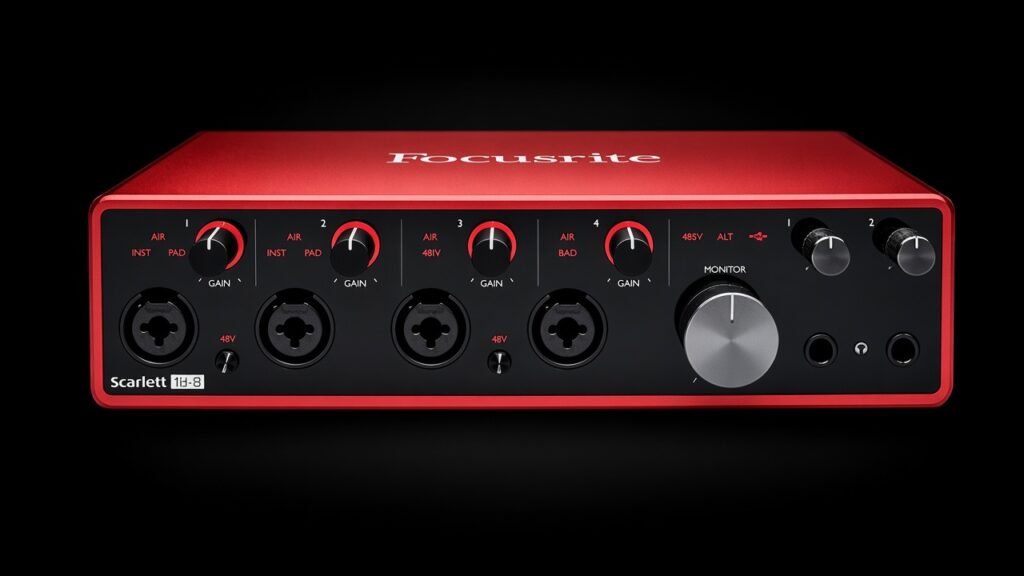
Our full Scarlett 2i2 review covers 69 dB of gain, Auto Gain, Clip Safe, and loopback in detail. Auto Gain and Clip Safe specifically protect new users from the single most common beginner mistake, clipping a loud take.
SSL 2 MKII
The pick for anyone who already knows how to gain stage and wants the quietest preamps available.
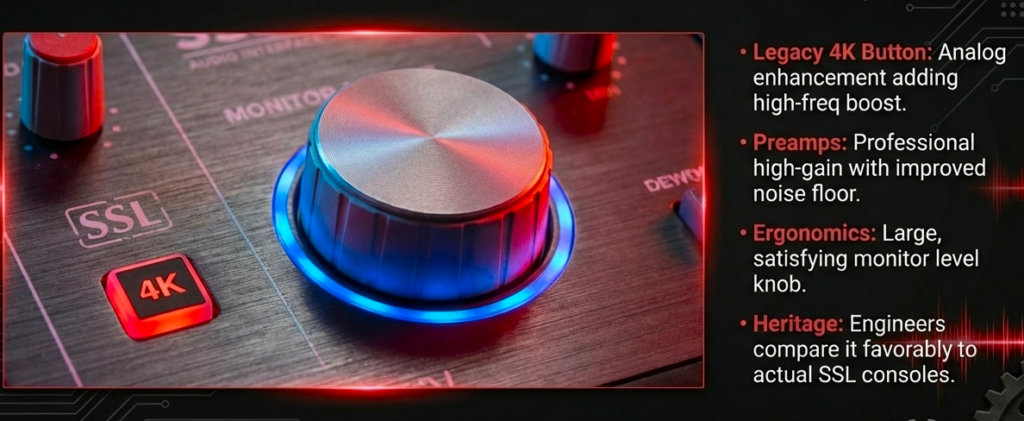
Our full SSL 2 review covers its -130.5 dBu equivalent input noise and Legacy 4K analog color button on each channel, both genuinely distinct from anything Focusrite offers.
My take as a musician. If you already own the 2i2 and wonder whether the SSL 2 is a real upgrade, it is, but only if you value the quieter floor and the color button over Auto Gain 🎸
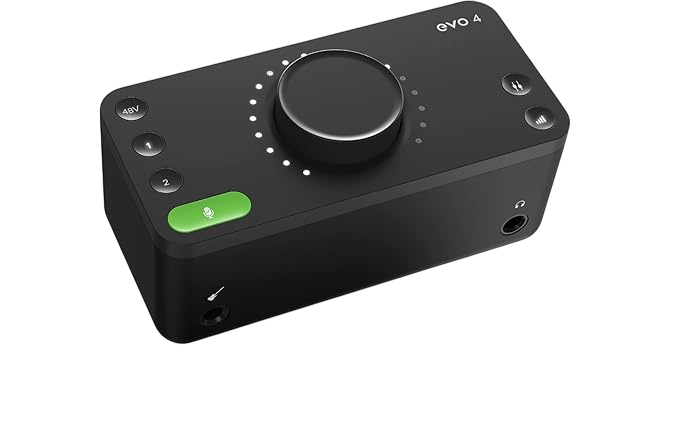
Audient EVO 4
The pick for anyone who wants auto-leveling without buying Focusrite.
Our full Audient EVO 4 review covers its Smartgain feature, a JFET instrument input, and loopback, all in one of the smallest bus-powered boxes in this roundup.
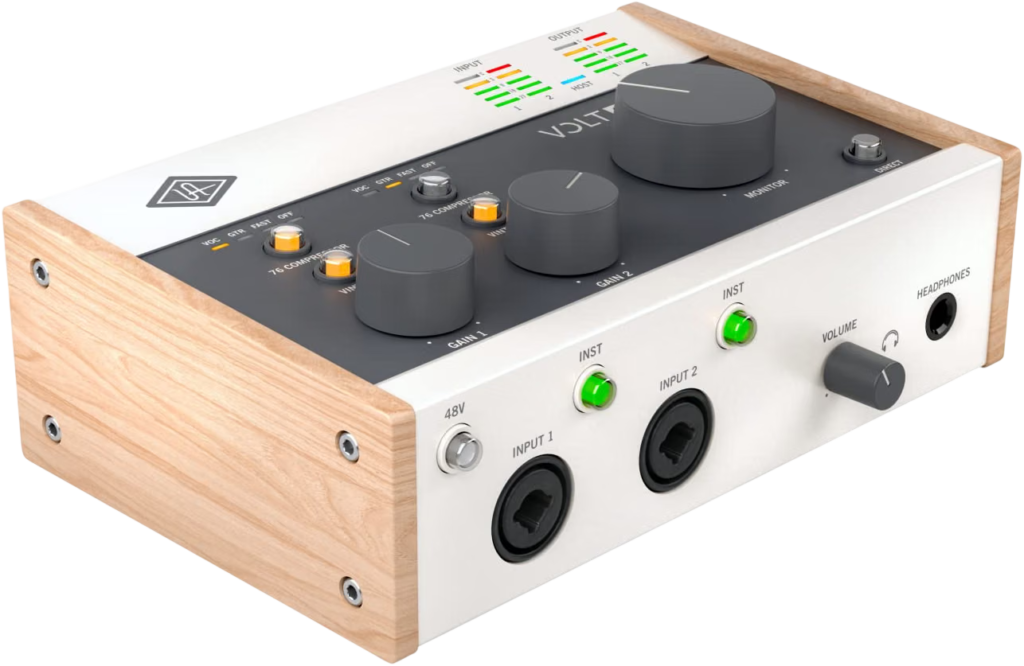
Universal Audio Volt 276
The pick for podcasters and vocalists who want analog polish baked in before the signal ever hits a DAW.
Our full Volt 276 review covers its Vintage mode, built-in 76 Compressor, and MIDI in and out, a combination none of the other four picks here offer together.
The honest tradeoff. It has the lowest gain of the group at 55 dB and no loopback, so it is not the pick for live streaming.
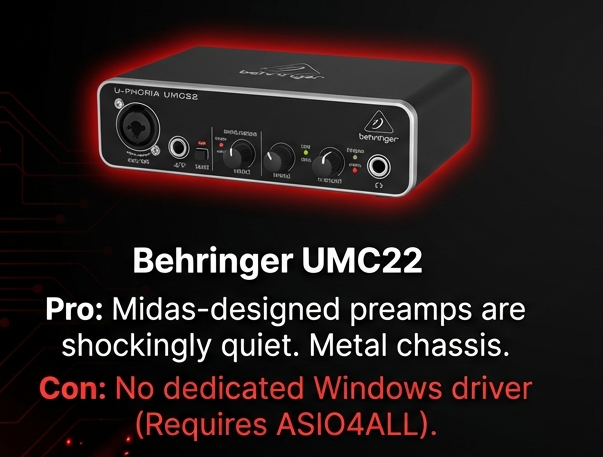
Behringer UMC202HD
The real budget option, and it is not a toy.
Behringer’s own listing confirms two Midas-designed mic preamps with switchable 48V phantom power, 24-bit 192kHz converters, zero-latency direct monitoring, and a tank-like metal chassis, all for under $90.
Thomann’s product page quotes an owner directly. The Midas preamps give vocals and guitar a professional sound with no noticeable hiss or distortion.
The honest catch. No Auto Gain, no loopback, and no onboard analog color. You get clean, reliable preamps and nothing extra.
Which One Should You Buy?
Match the interface to your workflow, not just the spec sheet.
- First interface, no strong opinion yet. Buy the Scarlett 2i2
- Already comfortable gain staging, want the quietest option. Buy the SSL 2 MKII
- Want auto-leveling on the smallest possible desk footprint. Buy the Audient EVO 4
- Want built-in compression and MIDI, don’t need loopback. Buy the Volt 276
- Tightest possible budget. Buy the Behringer UMC202HD
Need more than 2 channels? Our best 4 XLR input audio interface guide covers the next step up.
Did You Know 🤯
The Behringer UMC202HD’s Midas-designed preamps typically cost less than half of the Scarlett 2i2, yet both interfaces still provide 24-bit converters and phantom power.
What Does a 2 Channel Audio Interface Actually Give You?
A 2 channel interface lets you record two separate input sources at the same time.
That can mean two microphones, a microphone and guitar, two instruments, or another combination supported by the inputs.
The important part is that the two sources can appear as separate channels in your recording software.
For a two person podcast, that means each person’s microphone gets its own track.
You can then adjust their volume, EQ, compression, and other processing independently.
For a singer who also plays guitar, one input can capture the vocal microphone while the other captures the instrument.
That simple setup covers a surprisingly large percentage of home recording workflows.
How Does Gain Affect Your Microphone?
Gain controls how much the interface amplifies the incoming microphone signal.
This becomes especially important with low output dynamic microphones.
The Shure SM7B provides a useful example. Shure recommends a preamp with at least 60 dB of gain for the microphone.
That makes the gain specification relevant when comparing interfaces.
The Scarlett 2i2 in this roundup offers up to 69 dB, while the SSL 2 MKII offers 64 dB.
Those figures provide substantial gain for microphones that produce relatively low output levels.
A condenser microphone usually places less demand on the preamp because its output level tends to be higher.
That does not mean gain becomes irrelevant. You still need enough clean amplification to reach a healthy recording level without pushing the preamp unnecessarily hard.
What Is Phantom Power Used For?
48V phantom power supplies power to microphones that require it.
Condenser microphones commonly need phantom power.
Traditional dynamic microphones generally do not.
All five interfaces in this roundup provide 48V phantom power, so this specification does not separate the models here.
The more important consideration involves how you plan to use your microphones.
A two person podcast using two condenser microphones needs an interface that can supply phantom power while both microphone inputs remain active.
That requirement is straightforward with the interfaces covered here.
Why Do Combo Inputs Matter?
Combo inputs give an interface more flexibility.
A single physical input can accept an XLR microphone connection and a 1/4 inch connection for compatible line or instrument sources.
That means the same interface can handle several recording situations without additional hardware.
You might record a vocal through one input and guitar through the other.
You could connect two microphones for a podcast.
You could also use the inputs for other line or instrument sources supported by the interface.
This flexibility becomes useful when your recording habits change.
Someone may buy an interface for voice recording and later start recording guitar or bass.
An interface with appropriate instrument inputs can handle that change without requiring a different recording device.
What Is Direct Monitoring?
Direct monitoring lets you hear your input signal without sending it through the computer first.
That can reduce the monitoring delay you experience while recording.
Latency becomes noticeable when you hear your own voice or instrument slightly after you produce the sound.
For spoken word recording, that delay can feel unnatural.
For singing or playing an instrument, it can become even more distracting.
Direct monitoring provides a way around that problem by routing the incoming signal directly to the monitoring path.
The Scarlett 2i2 and Behringer UMC202HD both provide direct monitoring functionality, while the other interfaces use their own monitoring systems and controls.
The exact implementation differs between products, so the presence of a direct monitoring feature does not mean every interface behaves identically.
What Is Loopback Audio?
Loopback allows computer audio to return to the recording system as an input source.
This becomes useful for streaming, screen recording, online interviews, tutorials, and other creator workflows.
For example, you might want to record your microphone while also capturing audio playing from your computer.
Without a suitable loopback system, routing those two sources can require additional software or routing tools.
The Scarlett 2i2, SSL 2 MKII, and Audient EVO 4 in this roundup provide loopback functionality.
The Volt 276 and UMC202HD do not provide the same built in loopback feature.
That creates a meaningful difference between the models for people who regularly capture computer audio.
For someone recording only vocals or instruments into a DAW, loopback may never matter.
How Important Is the Headphone Output?
The headphone output becomes important as soon as you record while monitoring through headphones.
The interface needs to provide enough output for your headphones and maintain a clean monitoring signal.
This is particularly relevant when using headphones with higher impedance or lower sensitivity.
The SSL 2 MKII, for example, specifies a maximum headphone output level of +13 dBu.
The Scarlett 2i2 also uses a dedicated headphone amplifier designed for monitoring.
The practical point is simple.
Your interface handles both sides of the recording process.
It brings sound into the computer and sends monitored sound back to you.
Does 192 kHz Mean an Interface Sounds Better?
No.
A maximum sample rate tells you what the converter supports.
It does not tell you how good a recording will sound in your actual room with your actual microphone.
The interfaces in this comparison support sample rates up to 192 kHz, but most ordinary voice recording does not require recording at that rate.
For podcasting, streaming, voiceover, and general home recording, 44.1 kHz or 48 kHz are common practical choices.
Higher sample rates create larger amounts of digital data.
They can also increase processing and storage requirements.
For most creators, microphone placement, room acoustics, microphone choice, and sensible gain staging have a much more obvious effect on the finished recording.
That makes the maximum sample rate useful information, but not a reliable way to rank these interfaces.
What Does Preamp Noise Mean?
Every microphone preamp produces some amount of noise.
Manufacturers measure this in several ways, with equivalent input noise or EIN being one commonly used specification.
A more negative EIN figure generally indicates a lower measured noise floor under the manufacturer’s stated test conditions.
The SSL 2 MKII specifies -130.5 dBu EIN.
The Scarlett 2i2 specifies -127 dBu EIN.
Those numbers help describe preamp performance, but they should not be treated as a complete prediction of what you will hear.
The microphone itself contributes noise.
Your room contributes noise.
Your gain setting contributes to the final result.
Your computer and electrical environment can also affect the recording chain.
This is why a laboratory specification should always be considered alongside the rest of the system.
What Happens If You Need Three Microphones?
A 2 channel interface cannot provide three independent microphone preamp channels.
This becomes an immediate limitation for a three person podcast recorded in the same room.
The same applies to musicians who want to record more than two microphone sources simultaneously.
A Reddit discussion from a Focusrite 2i2 owner illustrates this exact limitation. The user wanted to connect three microphones after discovering that the interface only provided two microphone inputs.
The practical solution was to move to an interface with more inputs.
There is no software trick that turns two physical microphone preamps into three independent analogue microphone channels.
If you regularly record more than two sources simultaneously, the hardware needs to provide enough inputs.
Why Are Two Inputs Useful for Guitar Players?
A two channel interface can cover a simple guitar and vocal setup particularly well.
You can place a microphone in front of a vocal source while connecting the guitar directly through an instrument input.
The two signals then enter the DAW separately.
That gives you independent control over the vocal and guitar during mixing.
The instrument input also matters because an electric guitar produces a high impedance signal.
A suitable Hi Z input presents an appropriate impedance for that instrument.
The Scarlett 2i2 provides Hi Z instrument connectivity.
The SSL 2 MKII also provides instrument inputs with a 1 MΩ input impedance.
This specification matters more to a guitarist than the maximum converter sample rate.
Why Can Two Separate Tracks Matter So Much?
Recording two sources separately gives you control after the recording finishes.
Imagine a two person podcast where one person speaks considerably louder than the other.
If both microphones reach the computer as separate tracks, you can lower one voice without changing the other.
The same principle applies to music.
A vocal and guitar recorded on separate channels can receive different EQ, compression, volume, panning, and effects.
That flexibility disappears when multiple sources get combined into one recording path before reaching the DAW.
For this reason, the number of independent inputs matters more than the number of physical connectors you see on the front panel.
What Does Gain Staging Look Like on a 2 Channel Interface?
Good gain staging starts before you press record.
Connect the microphone or instrument.
Set the input type correctly.
Then perform at roughly the level you expect during the recording.
Watch the interface meter while adjusting the preamp gain.
You want a healthy signal without repeatedly hitting the clipping point.
Clipping happens when the incoming signal exceeds the available digital or analogue headroom.
Once the recording clips, turning the track down later does not restore the missing waveform information.
This explains why features such as Auto Gain and Clip Safe can be useful.
The Scarlett 2i2 includes both.
Auto Gain helps establish an appropriate recording level.
Clip Safe can reduce the gain when the incoming signal approaches clipping.
These features address a practical recording problem rather than adding another specification for a comparison chart.
What Does a Typical Two Person Podcast Setup Look Like?
A basic setup needs surprisingly little hardware.
Microphone 1 → XLR cable → Input 1
Microphone 2 → XLR cable → Input 2
Audio interface → USB → computer
Headphones → interface
The DAW receives the two microphone signals as separate channels.
Each speaker can then receive independent processing during editing.
If both microphones use condensers, activate phantom power when appropriate for the microphones.
If both use dynamic microphones, phantom power is normally unnecessary.
The interface therefore becomes the central connection point between the microphones, headphones, and computer.
What Does a Solo Recording Setup Look Like?
A solo creator can use the same interface with only one input.
Microphone → Input 1
Headphones → interface
Interface → computer
The second channel remains available for another source.
That could become useful for guitar, a second microphone, an instrument, or another recording source later.
This explains why two channel interfaces remain popular even among people who currently record only one microphone.
The unused channel does not have to stay unused forever.
Which Features Matter Most for Different Workflows?
Different recording tasks place different demands on the interface.
Podcasting
The important features include two independent microphone inputs, sufficient gain, headphone monitoring, and loopback when computer audio needs recording.
Voiceover
Clean preamp performance and sufficient gain become important, particularly with lower output dynamic microphones.
Guitar Recording
A proper instrument input matters because the guitar needs the appropriate input impedance.
Streaming
Loopback can become extremely useful because the workflow often involves microphone audio and computer audio simultaneously.
Vocal Recording
Clean gain, reliable monitoring, and a suitable headphone output matter most.
Basic Home Recording
Two flexible inputs, phantom power, instrument connectivity, and direct monitoring cover a large range of simple recording tasks.
The feature priorities change with the source.
That is why two interfaces with similar specifications can feel very different in actual use.
What Does the Price Difference Actually Buy?
The price gap between these interfaces does not simply buy better sound.
It can also buy automation, routing, monitoring features, analogue processing, connectivity, and convenience.
The UMC202HD focuses on the essential recording functions at a low price.
The Scarlett 2i2 adds features such as Auto Gain, Clip Safe, and loopback.
The SSL 2 MKII adds features such as its Legacy 4K circuit and strong measured preamp specifications.
The Audient EVO 4 focuses heavily on compact design and Smartgain.
The Volt 276 adds Vintage mode and a built in 76 compressor.
These differences explain why the interfaces can all occupy sensible positions despite having the same basic two channel concept.
What Should You Expect From a 2 Channel Interface?
A good 2 channel interface should handle the basic recording chain without becoming the limiting part of the setup.
You should be able to connect your microphone or instrument.
You should be able to establish a suitable recording level.
You should be able to monitor the source through headphones.
You should be able to send the recorded signal to your DAW reliably.
Everything beyond those fundamentals depends on the features you actually need.
That is why the five interfaces below deserve separate attention.
They solve the same basic two input problem in very different ways.
Best 2 Channel Audio Interface FAQ
Is 2 channels enough for podcasting?
Yes, for up to two hosts.
A 2 channel interface covers a solo show or a two-person podcast cleanly. Three or more hosts in the same room need more inputs.
Do all of these have loopback?
No.
The Scarlett 2i2, SSL 2, and Audient EVO 4 all have loopback. The Volt 276 and UMC202HD do not.
Which has the most gain?
The Scarlett 2i2.
It offers 69 dB, the highest of the picks in this guide, useful for low output dynamic mics like the Shure SM7B.
Can I plug a guitar into any of these?
Yes.
All five accept a guitar or bass through a combo or dedicated instrument input.
Do I need phantom power?
Only for condenser mics.
All five interfaces here supply 48V phantom power, which dynamic mics never need.
So count your real inputs first, pick your interface second, and start recording 🎶
As an Amazon Associate I earn from qualifying purchases. There are some affiliate links on this page that will redirect you directly to the original products and services. Also by buying through those links you will be supporting us. So thank you ^.^
Related Posts
Here is a list of interface posts you can consider as alternatives.