I am a retired musician, and the question I get asked more than any other mic question is not which mic to buy. It is whether the plug on the back even matters anymore 🎙️
Affiliate links below. As an Amazon Associate I earn from qualifying purchases.
Direct answer first. Buy USB if you record one person at a time and want the simplest possible setup. Buy XLR if you will ever record two or more people on separate tracks, or you want a signal chain you can upgrade piece by piece instead of replacing the whole mic.
Here is the stat that reframes the whole debate. MicroPicked’s testing found the latency gap between a USB mic and an XLR mic through a modern interface sits consistently under 5 milliseconds, a difference inaudible to most people. The connector was never really the latency problem.
By the end of this guide, you will know what actually changes between the two signal chains, where sound quality really comes from, and which one fits how you record.
This guide draws on manufacturer documentation, independent testing, and reviewer comparisons. It does not rest on new bench testing of our own, so I name the source whenever I share a specific claim.
Quick Verdict
| Setup complexity | USB wins. One cable, no interface, no drivers to configure. |
| Sound quality ceiling | XLR wins, but only once you pair it with a genuinely good interface. |
| Multiple mics at once | XLR wins decisively. Two or more USB mics need fragile software workarounds. |
| Latency | Tie for most people. Under 5ms difference through a modern interface, per MicroPicked’s testing. |
| Upgrade path | XLR wins. Swap the mic, preamp, or interface independently. A USB mic is replaced as one unit. |
Buy USB if you record solo and want zero extra hardware. Buy XLR if you record with other people, or you know you’ll want to upgrade pieces of your setup over time.
What Actually Differs in the Signal Chain?
Both mic types start the same way. Sound hits a capsule, which turns it into an electrical signal.
From there they split. A USB mic runs that signal through a preamp and an analog to digital converter built into the mic’s own body, then sends a finished digital signal straight to your computer over USB.
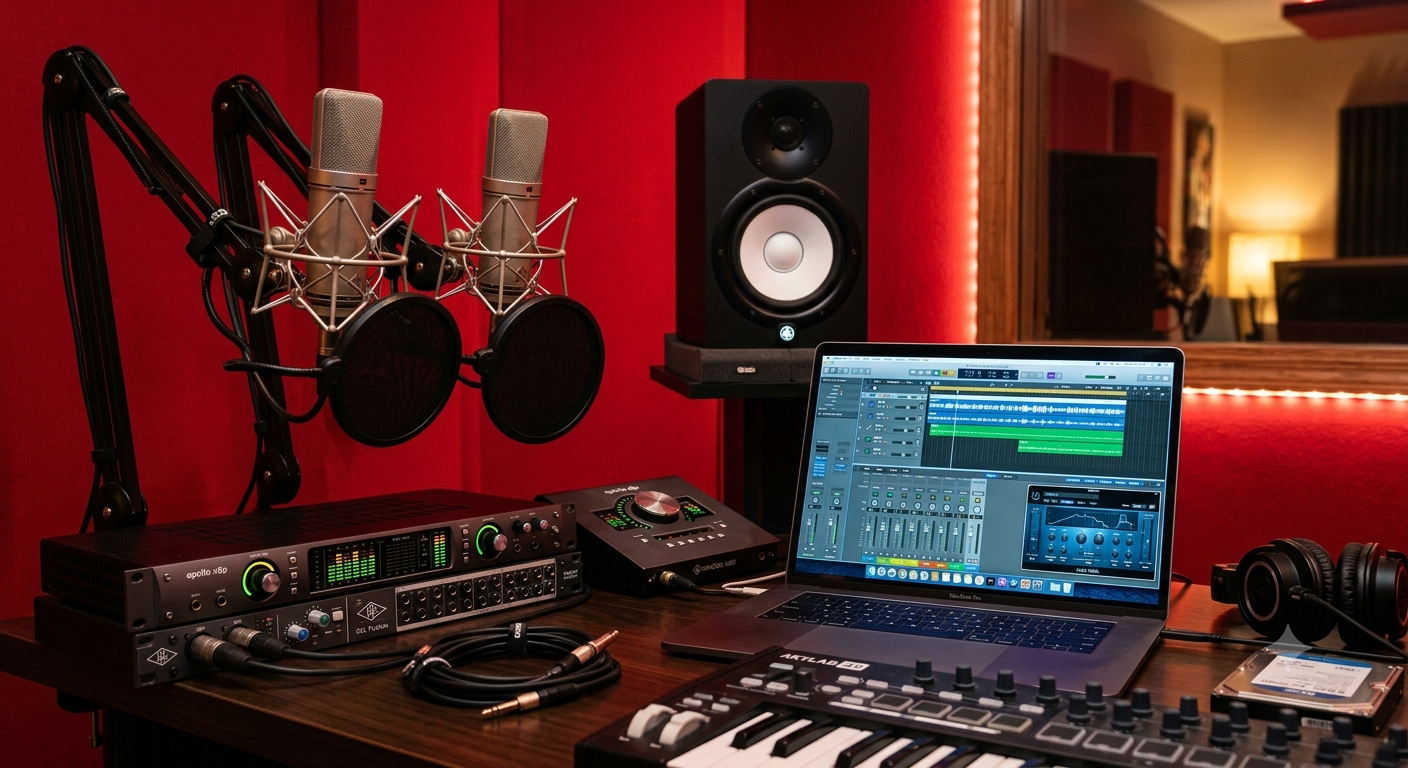
An XLR mic sends a raw analog signal down the cable with no conversion at all. The preamp and the analog to digital converter live in a separate box, your audio interface or mixer, not the mic.
MicroPicked frames the real distinction well. USB answers the question of how fast you can start recording. XLR answers the question of how you build a chain that grows over time. Every other difference between the two, sound quality, cost, flexibility, follows from that one split.
Does XLR Actually Sound Better?
Only when the rest of the chain earns it.
Sweetwater’s own engineering team puts it plainly, in a quote cited by Studio Supplies. Sound quality is determined by the weakest link in the entire signal chain, not by the connector type alone.
A detailed 2026 comparison from SetupFind backs this up with real numbers. Premium XLR interfaces still deliver a higher ceiling and a lower noise floor, but premium USB mics now hit 24-bit, 96kHz conversion and genuinely approach budget XLR interface performance. The gap shows up most on quiet sources and under heavy compression, not on ordinary speech.
A separate technical breakdown from Boya quotes a real noise floor comparison, XLR mics through a quality interface commonly measuring -110dB to -130dB, against -90dB to -100dB for USB. That gap exists, but most listeners on a podcast or stream will never hear it.
My take as a musician. A cheap interface can absolutely sound worse than a good USB mic. The connector is not a guarantee of quality, the gear attached to it is 🎸
Is Latency Actually a Real Problem?
Rarely, and this is the most overstated part of the whole debate.
SetupFind points out a detail the argument usually skips. Most decent USB mics have a headphone jack that routes your voice straight to your ears before it ever reaches the computer, zero latency by design. That removes the problem entirely for solo recording.
MicroPicked’s own testing across its USB mic catalog found the latency difference between USB and XLR through a modern interface is consistently under 5 milliseconds, inaudible to most humans.
The latency case for XLR really only holds when you are monitoring several sources through your DAW at once, which loops back to the multi-mic question below, not a pure latency question.
What Happens With Two or More Mics?
This is where the two connector types genuinely stop being equal.
MicroPicked states it directly. A 2-input audio interface handles two XLR mics as separate tracks natively. USB mics each appear as a separate device to your computer, and routing software workarounds, VoiceMeeter on Windows or an aggregate device on macOS, are fragile and latency-prone.
Boya’s technical guide adds the specific failure mode. Running multiple USB mics through software aggregation is prone to sample rate synchronization issues and system instability, not just inconvenience.
If you record a two-person podcast, an interview, or a band, this single fact decides the format for you. Our best XLR microphone under $100 guide covers real picks once you land on XLR.
Which Costs More Over Time?
USB wins upfront. XLR often wins over several years.
A USB mic bundles the mic, preamp, and converter into one purchase, which is cheaper on day one. The tradeoff, confirmed across multiple sources including Aumoz’s technical comparison, is that when you want better audio, you replace the entire microphone. There is no way to improve individual components of the chain.
XLR flips that. FIFINE’s 2026 guide calls the signal chain fully modular, swap preamps, compressors, or EQ independently, without touching the mic itself. StreamsCharts goes further, ranking XLR ahead on long-term resale value specifically because the individual components hold value and can be sold separately.
XLR vs USB at a Glance
| Factor | USB Microphone | XLR Microphone + Interface |
|---|---|---|
| Signal chain | Capsule → built-in preamp and ADC → USB | Capsule → cable → external preamp and ADC → USB |
| Setup | Plug and play, no extra hardware | Needs a separate interface or mixer |
| Noise floor (typical) | -90dB to -100dB | -110dB to -130dB with a quality interface |
| Latency | Near-zero via onboard headphone jack | Near-zero via hardware direct monitoring |
| Multiple mics | Fragile software workarounds | Native, one per interface input |
| Upgrade path | Replace the whole mic | Swap mic, preamp, or interface separately |
Numbers come from the sourced comparisons cited above, cross-checked against manufacturer documentation where available. Want the system-level version of this decision, including when a full audio interface is worth the extra cost? Our USB microphone vs audio interface guide covers that angle specifically.
When Does the Sound Quality Gap Actually Show Up?
Three specific situations, not everyday speech.
Aumoz’s technical breakdown names the real variable. USB mics limit you to software processing with higher latency and CPU load, while an XLR chain handles dynamics and EQ in the analog domain before anything reaches your computer. That distinction matters most when you are recording quiet passages that need real headroom, not loud confident speech.
The same source lists the noise floor ranges plainly. XLR through a quality interface commonly lands between -110dB and -130dB. USB sits between -90dB and -100dB. That 20 to 30 dB gap is real on paper, but it only becomes audible once you push a recording hard in post, heavy compression, aggressive noise reduction, or mastering for broadcast.
Docam’s 2026 guide adds a blunt threshold. The difference only shows above about a $300 interface budget. Below that, a premium USB mic and a budget XLR interface land close enough that the connector stops being the deciding factor.
What Do Working Creators Actually Pick?
It splits by format, not by budget.
StreamsCharts’ 2026 breakdown ranks USB as the best choice for talk shows and podcasts, and for convenience and budget overall. The same guide ranks XLR ahead for game broadcasts with in-game voice chat, for music and singing, and for long-term resale value.
Standesk’s comparison makes the audience point directly. For most streaming and podcast audiences, listeners will not hear a difference between a good USB mic and an XLR setup. The gap matters far more to the person recording than to the person listening.
My take as a musician. If your format is one person talking into a mic, chase convenience. If your format involves other voices in the room or instruments, the format itself picks XLR for you 🎤
How Do You Future-Proof the Decision?
Think about where your show goes in a year, not just this month.
A solo show that might add a co-host later is the exact case where XLR pays off early. Buying one 2-channel interface now costs more upfront than a single USB mic, but it means the second mic slots in natively instead of forcing a software workaround or a full hardware swap later.
FIFINE’s guide frames this as the core tradeoff. USB mics are simple and convenient, making them perfect for beginners, while XLR mics offer a setup that can grow with you over time. Neither framing is wrong, they are answers to different questions.
If you are not sure which category you fall into yet, our USB microphone vs audio interface guide walks through the same decision from the system-cost angle instead of the pure connector angle.
Which One Should You Buy?
Match the connector to your actual workflow, not the spec sheet.
- Solo podcaster, streamer, or voiceover artist. Buy USB
- Two or more people recording on separate tracks. Buy XLR
- Want to upgrade pieces of your setup later without replacing everything. Buy XLR
- Want the absolute simplest first purchase. Buy USB
- Recording quiet sources or using heavy compression professionally. Buy XLR with a genuinely good interface
Already decided on USB? Our best USB microphone for streaming guide covers real picks by room type.
Did You Know 🤯
The Shure MV7+ uses the exact same capsule for both its USB and XLR outputs, according to MicroPicked’s testing. The sound difference between the two modes comes entirely from the signal chain after the capsule, not the capsule itself.
XLR vs USB Microphone FAQ
Will an XLR mic always sound better than USB?
No.
Only if the interface attached to it is good. A cheap interface can sound worse than a quality USB mic.
Can I record two USB mics at once?
Not reliably.
Most apps don’t support it natively. Workarounds exist but add sync and stability risk.
Does USB add noise to the signal?
Sometimes.
Software like Zoom often downsamples audio to 16 kHz, wasting any extra quality either mic type provides.
Do I need an audio interface for XLR?
Yes, always.
An XLR mic cannot connect to a computer directly. It needs an interface or mixer with a mic preamp.
Is USB good enough for professional podcasting?
Yes, for most shows.
Modern USB mics deliver studio-quality sound when placed correctly, and most listeners won’t hear the gap versus XLR.
Can I use both outputs on a hybrid mic?
Not at the same time.
Hybrid mics like the Shure MV7 switch between USB and XLR, they don’t run both outputs simultaneously.
Does the interface price matter more than the mic?
Often, yes.
A cheap interface genuinely bottlenecks a good XLR mic, since the preamp and converter live in the interface, not the mic itself.
So count your recording setup first, pick your connector second, and start recording 🎶
As an Amazon Associate I earn from qualifying purchases. There are some affiliate links on this page that will redirect you directly to the original products and services. Also by buying through those links you will be supporting us. So thank you ^.^
Related Posts
Here is a list of microphone and interface posts you can consider as alternatives.