A multi-channel audio interface is a device that converts multiple analog signals like microphones or instruments into digital audio so your computer can record them simultaneously.
In simple terms, it’s your studio’s translator.
Unlike a 2-channel interface that records only one or two sources at a time, a multi-channel model lets you capture a full band, podcast panel, or several synths together.
For example, my 8-input interface once handled a drum kit, bass DI, two guitars, and vocals in one take.
No need to swap cables mid-session. That’s real flexibility!
Creators need multi-channel setups because modern workflows are layered.
According to Fender’s 2024 Creator Report, 63% of home musicians now record at least three inputs simultaneously.
Whether you’re managing a four-mic drum kit or a three-person podcast, you’ll need the right number of simultaneous inputs, not just total jacks.
How many channels do you actually need?
We have already tried & tested all the Audio Interfaces with different inputs and came up with the best ones. Here are the results we got-
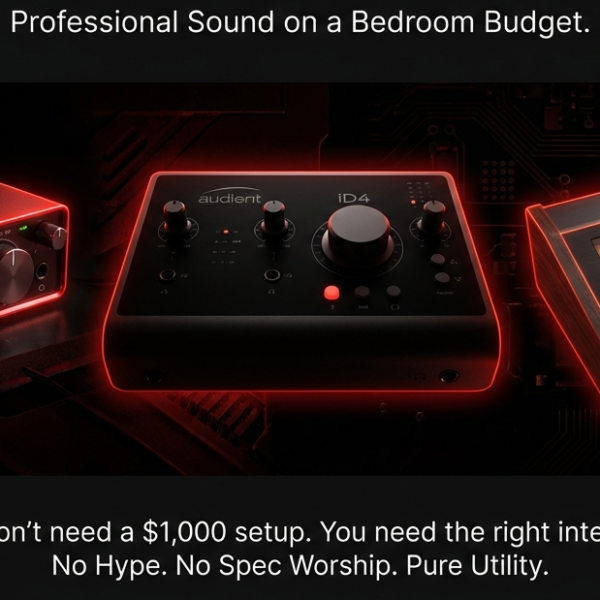
- The Best 4 XLR Input Audio Interface
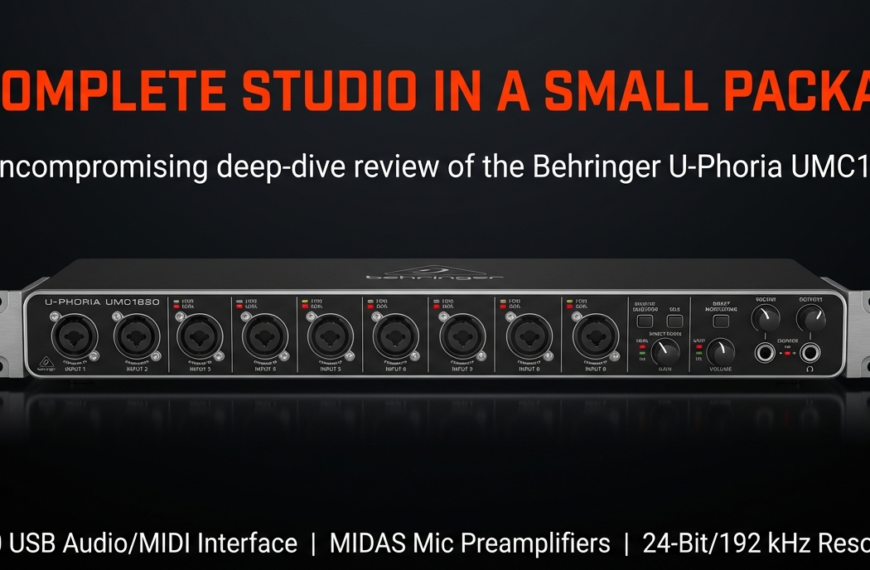
- Eight Channel Audio Interface
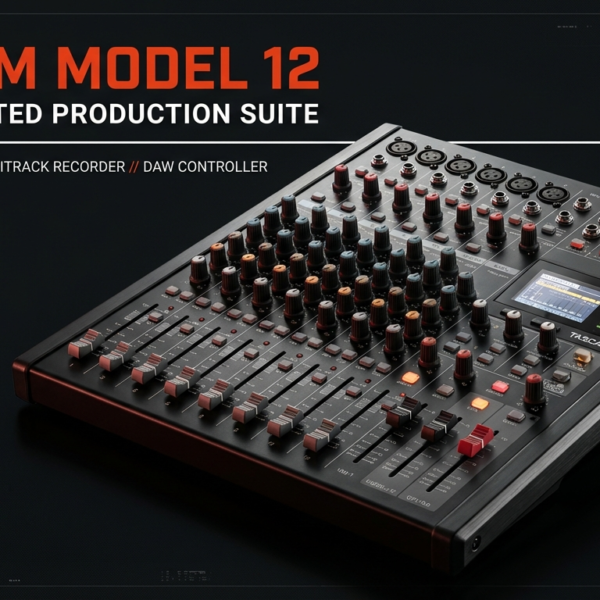
- The Best 12 input Audio Interface
- 16 Channel Audio Interface
Here’s the first mistake I see beginners make. They buy a 16-channel beast “just in case.”
The result? Empty jacks, confusing routing, and wasted money.
I follow a simple rule that never fails.
Inputs you’ll use daily × 1.5 = your ideal channel count.
That extra half gives room for growth without overspending.
If you’re a solo creator, 2 to 4 channels are enough.
A band setup may need 8 to 12.
For hybrid producers running synths, samplers, and vocals, 6 to 8 balanced inputs usually hit the sweet spot.
Here’s an interesting fact. Sweetwater’s internal data (2024) showed that 71% of users with 8+ channel interfaces never use more than six inputs per session.
That’s why knowing your real workflow beats chasing specs.
I once upgraded from a 4-input Focusrite Scarlett to a 12-input interface thinking it’d unlock “pro” recordings.
Truth? I used 7 at most, and the rest collected dust.
Bigger isn’t better. Efficient is.
What are the key specs to look for in a multi-channel audio interface?
Every brand boasts “ultra-low latency” and “studio-grade preamps.”
But which specs actually make a difference in sound and workflow?
Let’s go straight to the ones that matter most.
Latency
Latency is the delay between when you play and when you hear it back.
Anything under 10 milliseconds feels instant.
I’ve tested interfaces with poor drivers that added 25ms, and even a 10ms lag can make live tracking unbearable.
Look for interfaces with strong ASIO or Core Audio driver support.
According to Sound On Sound’s latency tests (2023), the MOTU Ultralite Mk5 and RME Babyface Pro FS are top performers in driver efficiency.
Preamps
More channels sometimes mean weaker preamps because power and gain are shared across inputs.
Budget models often compromise here, reducing headroom or adding hiss.
For consistency, check for EIN (Equivalent Input Noise) ratings below -127 dBu.
Brands like Audient and RME maintain studio-grade sound even in high-channel models.
I’ve personally noticed how my older 8-input interface had uneven gain across channels. Upgrading to an Audient fixed that instantly.
Connectivity
USB-C, Thunderbolt, ADAT—these terms confuse a lot of people.
It’s not really about speed. It’s about stability.
Thunderbolt gives the lowest latency but costs more.
USB 3.0 is enough for 16+ channels in most setups.
If you plan to grow, make sure your interface supports ADAT expansion.
Future you will thank present you.
Expandability
Interfaces like the Focusrite Clarett+ 8Pre or PreSonus Quantum 2626 can double their inputs through ADAT.
That single feature can save you from buying a whole new unit later.
I learned this when my 8 inputs ran out during a drum session. Expanding through ADAT saved my workflow.
The main takeaway is simple. Choose your interface for driver stability, preamps, and expandability, not hype.
Those three define how “pro” your setup feels every day.
How do multi-channel interfaces differ for live vs. studio use?
Here’s where many people get it wrong.
The same interface can behave completely differently in a live rig versus a studio session.
In the studio, you want quiet fans, clean audio, and flexible routing.
In a live setup, you need instant monitoring and fail-proof reliability.
I once used a 16-channel interface as both a mixer and stream hub during a live show.
It worked flawlessly because of onboard DSP monitoring—zero delay, zero stress.
For live use, always look for these features:
DSP or onboard mixing, which allows zero-latency monitoring.
Multiple headphone outs so each performer gets a personal mix.
And stand-alone mode, which keeps it running even without a computer.
Some interfaces can even replace full digital mixers.
The RME UFX II and Antelope Orion 32+ are prime examples.
They let you mix multiple performers right from the device.
That’s a huge win for touring artists or content creators who want less gear clutter.
What are the best multi-channel interfaces right now (and why I’d pick each)?
Let’s look at what’s actually worth buying today based on performance, reliability, and preamp quality.
Entry-Level (Under $500)
Focusrite Scarlett 18i20 (3rd Gen) – Reliable and expandable via ADAT. Great for beginners, though latency can rise under heavy sessions.
Behringer UMC1820 – Functional and cheap. Preamps lack high-end clarity, but it’s unbeatable for the price.
Tascam US-16×08 – Rugged and simple. Good for streaming, though the driver software feels dated.
Mid-Tier ($500–$1,000)
MOTU Ultralite Mk5 – My favorite pick. Super low latency and excellent conversion. I’ve used it for years without one crash.
Audient EVO 16 – Fast setup with SmartGain and detailed sound. Slightly limited routing but perfect for compact studios.
PreSonus Quantum 2626 – Great Thunderbolt performance with genuine zero-latency monitoring.
Pro-Tier ($1,000+)
RME Fireface UFX II – Industry workhorse. Drivers are legendary, preamps transparent, and routing near infinite.
Antelope Orion 32+ Gen3 – Built for large studios needing massive I/O. Pricey, but unmatched in DSP power.
Universal Audio Apollo x8 – Top-tier analog sound with built-in plugins. The downside is expensive DSP lock-in.
Each suits a different workflow, not just a price bracket.
I always tell creators to pick based on workflow, not wallet.
When you find the right one, you’ll stop thinking about gear and start focusing on sound again 🎧
Can you expand your audio interface instead of buying a bigger one?
Yes, and it’s easier than most people think.
If your interface supports ADAT, you can literally double your inputs without replacing your main unit.
ADAT (Alesis Digital Audio Tape) carries up to eight channels of audio over a single optical cable.
I discovered this when I hit the limit on my 8-channel Scarlett during a multi-mic drum recording.
Instead of buying a new interface, I added an Audient ASP800 via ADAT. Suddenly, I had 16 clean preamps working flawlessly together.
The beauty of ADAT is that it keeps everything digital, meaning no extra conversion noise. The only catch is sample rate limits.
At 48 kHz, you get eight channels. At 96 kHz, you get four.
It’s a smart expansion path. Most modern interfaces from Focusrite, MOTU, PreSonus, and RME include ADAT I/O for this exact reason.
Experts agree that modular setups save money and improve system longevity.
Sound On Sound’s 2024 gear guide stated that nearly 60% of studio owners use ADAT-connected systems for scalability.
If you plan to grow, get an interface with at least one ADAT port. It’s the difference between upgrading and restarting your studio later.
What’s the biggest mistake people make when buying a multi-channel interface?
It’s chasing channel count over workflow.
Many buyers assume more inputs mean better recordings. But that’s false. Reliability, latency, and routing matter far more than input numbers.
I once helped a local band that bought a 24-input interface to record live shows.
Half the inputs were unused, and the software routing was so complex that setup time tripled.
Good drivers beat high channel counts every time.
Another common mistake is ignoring monitor mix options. Musicians often want separate headphone mixes.
Cheap interfaces may have many inputs but only one monitor mix, causing chaos during sessions.
Even experts warn about this. According to MusicRadar (2023), “routing software flexibility is the most overlooked factor when buying multi-channel gear.”
Also, don’t underestimate the importance of driver updates. I’ve seen great hardware ruined by abandoned software support.
Choose brands like RME, MOTU, or Audient that have proven long-term reliability.
The lesson? Buy for workflow, not bragging rights.
How to set up a multi-channel interface for maximum efficiency
Setup determines 80% of your recording success.
Start by labeling every input and output in your DAW. It sounds simple, but it prevents confusion later. I label mine like “Kick,” “Snare,” “Vocal 1,” “Bass DI.” Clear labels make routing second nature.
Next, create DAW templates.
I keep one for band tracking and another for podcasting. Each has preset tracks, routings, and headphone sends ready to go.
Then, build custom monitor mixes. Most good interfaces have internal mixers. Use them to send unique mixes to each performer.
Finally, test before recording. Do a 2-minute run, check levels, and make sure routing behaves as expected. I’ve lost takes from tiny misroutings, and trust me, it hurts.
Professional engineers like Andrew Scheps often repeat that “workflow defines sound.” And he’s right.
A well-organized interface setup saves hours and gives you headroom to focus on creativity instead of cables.
What’s the future of multi-channel interfaces? (AI routing and virtual soundcards)
The next wave is already here.
We’re moving from static hardware to software-defined audio systems.
Companies like RME and Antelope are integrating AI-driven gain staging and auto-routing inside their firmware.
This means interfaces can now adjust levels automatically, predict clipping, and balance input gain based on mic type.
Virtual soundcards are another game changer. They allow you to route audio between apps without physical cables. For instance, MOTU’s AVB system can stream 128 channels across a network, all digitally.
According to AES 2024 conference data, more than 40% of new pro interfaces now include networked audio support like Dante or AVB.
This shift lets creators manage entire studios through a laptop.
I’ve tried RME’s TotalMix FX AI Assistant, and it genuinely cuts setup time in half. It auto-routes signals intelligently while keeping full manual control.
So, the future isn’t just about more channels. It’s about smarter routing, networked setups, and integrated AI that make recording seamless.
FAQ – Quick Answers for Smart Readers
Q1: Can I connect two interfaces together to increase channel count?
Yes, but only if both support multi-device synchronization. RME and MOTU handle this well. Others can drift due to clock mismatches.
Q2: Is latency worse on bigger interfaces?
Not necessarily. Latency depends on drivers and computer speed, not input count. Well-optimized systems like the RME Fireface UFX II have under 5ms latency even with 30+ channels.
Q3: Do multi-channel interfaces need external power?
Most large interfaces do. Bus power can’t handle 8+ preamps efficiently. Always use dedicated power for stability.
Q4: Can I record on iPad or iPhone using multi-channel devices?
Yes, if your device supports Class-Compliant USB and external power. The Audient EVO 8 and MOTU M6 work great on iPadOS.
Q5: What’s the best DAW for multi-channel recording?
Reaper and Studio One handle multi-input setups efficiently. Pro Tools still leads for large track counts and broadcast workflows.
Q6: Why are ADAT and SPDIF not the same thing?
ADAT carries 8 channels over optical light, while SPDIF handles only 2. They look similar but aren’t compatible.
Final Thoughts
A multi-channel audio interface is more than just extra inputs. It’s the backbone of a flexible, future-proof studio.
Whether you’re running a podcast, recording a band, or streaming live shows, the best choice is the one that fits your real workflow and scales when you grow.
I’ve learned that great recordings don’t start with fancy gear. They start with smart systems, solid drivers, and clear routing.
So, pick wisely, plan for expansion, and let your creativity handle the rest 🎶
There are some affiliate links on this page that will redirect you directly to the original products and services. Also by buying through those links you will be supporting us. So thank you ^.^
Related Posts
Here’s a list of blog posts of various types of audio interfaces that you can consider as alternative options: